Loading manual…
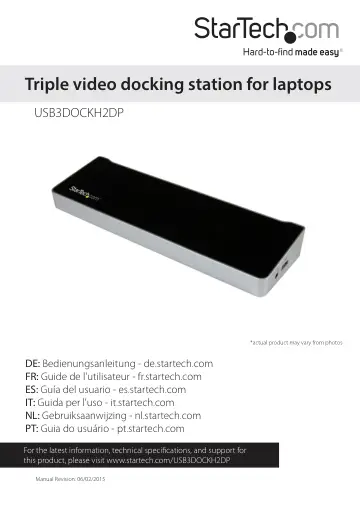
StarTech.com Triple-Monitor USB 3.0 Docking Station (USB3DOCKH2DP) user manual
- Type
- User manual
- Language
- English
- Pages
- 12
- Category
- Monitors
- Models
- USB3DOCKH2DP
Open PDFOpens the file on objects.icecat.biz.
Contents
- Introductionp. 4
Packaging contents • 1x triple video laptop docking station • 1x USB 3.0 host cable • 1x universal power adapter (NA/EU/UK/AU) • 1x instruction manual
- System requirementsp. 4
USB-enabled host computer system with an available USB 3.0 port • Available AC electrical outlet • DisplayPort™ and HDMI® enabled display(s) with cables as…
- Product diagramp. 5
- Front viewp. 5
Rear view 3.5mm TRRS headset port (audio and microphone) USB 3.0 fast-charge and sync port Power switch USB 3.0 ports HDMI port RJ45 port Microphone input…
- Rear viewp. 5
3.5mm TRRS headset port (audio and microphone) USB 3.0 fast-charge and sync port Power switch USB 3.0 ports HDMI port RJ45 port Microphone input Audio output…
- About installationp. 6
Depending on the version of operating system that you’re currently running and whether your network connection is active, the docking station might install…
- Install the driverp. 6
, complete the on-screen instructions to complete the installation. Install the driver 1. On your computer, use a web browser to navigate to…
- About the docking station portsp. 7
The four USB ports located at the back of the docking station are standard USB 3.0 throughput ports. When the docking station is connected to a host laptop…
- Charge a devicep. 7
faster than a traditional standard USB 3.0 port. This side USB 3.0 port can fast-charge a connected device, even when the docking station isn’t connected to a…
- Charge an iPad with a 30-pin dock connectorp. 7
The following steps only apply to an iPad with a 30-pin connector. An iPad that uses a Lightning connector can be charged using the USB port located on the…
- About the display optionsp. 8
The following information describes the display configurations available using the DisplayLink utility. Extend Select this option to display an extension of…
- Use Mac OS to configure a display devicep. 9
If you’re using a computer that’s running a version of Mac OS, you can adjust a display device in the Displays section of the Mac System Preferences menu
- Use Mac OS to change the display modep. 9
By default, the docking station will be set up as an extended display. • Do one of the following: • To change the display to Mirror mode, on the Arrangement…
- Use Mac OS to change the primary displayp. 9
Changing the primary display affects where new windows appear. • To change which of the connected displays is the primary display, on the current primary…
- Technical supportp. 11
StarTech.com’s lifetime technical support is an integral part of our commitment to provide industry-leading solutions. If you ever need help with your product…
- Warranty informationp. 11
This product is backed by a two year warranty. In addition, StarTech.com warrants its products against defects in materials and workmanship for the periods…