Loading manual…
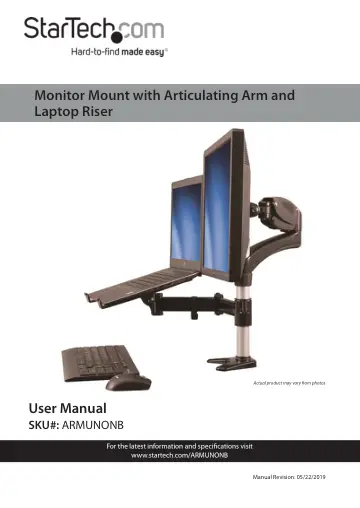
StarTech.com Desk-Mount Monitor Arm (ARMUNONB) user manual
- Type
- User manual
- Language
- English
- Pages
- 26
- Category
- Monitors
- Models
- ARMUNONB
Open PDFOpens the file on objects.icecat.biz.
Contents
- Safety Statementsp. 3
Safety Measures • Wiring terminations should not be made with the product and/or electric lines under power. • Cables (including power and charging cables)…
- Product Diagramp. 5
Rubber Pads 6 Cable Management 2 Laptop Tray 7 Pole 3 Extension Arm 8 Height-Adjustment Ring 4 Swivel Arm 9 Cable-Management Clip 5 Monitor Mount 5 6 7 8 9 3 2…
- Product Dimensionsp. 6
- Technical Specificationsp. 7
Type of Measurement Measurement Display Size 15 to 27 in. (381 mm to 686 mm) Monitor Mount Weight Capacity Up to 17.6 lb. (8 kg) Laptop Tray Weight Capacity Up…
- Product Informationp. 9
Package Contents Swivel Arm Qty: One Extension Arm Qty: One Laptop Tray Qty: One Spring Arm Qty: One
- Installation Requirementsp. 12
Phillips Head Screwdriver • Adjustable Wrench
- Assemblyp. 12
Warning: Make sure to assemble the ARMUNONB according to the following instructions. Failure to do so may result in personal injury or property damage. If you…
- Attaching the Clamp to a Surfacep. 12
Note: The desk clamp can be attached to a desk or table up to a thickness of 9 cm 90 mm).
- Attaching the Laptop Tray to the Swivel Armp. 13
1. Insert the four M5x12 screws through the laptop tray and into the four holes in the VESA mount on the swivel arm.
- Attaching the Swivel Arm to the Pole and Clampp. 15
1. Turn the adjustable collar on the height-adjustment ring counterclockwise and pull the height-adjustment ring off of the pole and clamp. Pulling the…
- Attaching the Extension Armp. 17
1. Slide the height-adjustment ring down the pole and clamp until it’s at the height that you want the extension arm to sit at. 2. Turn the adjustable collar…
- Attach a display to the spring armp. 18
Caution! To prevent scratching, you should handle the sur face of the display with care when you attach it to the spring arm. If you exceed the weight…
- Attaching the Spring Arm to the Extension Armp. 20
1. Carefully lift the spring arm with the display attached and place it onto the extension arm.
- Adjust the height tension of the spring armp. 22
1. You can adjust the height tension of the spring arm to make sure that the display stays in place, regardless of the weight of the display. 2. If the display…
- Adjusting the Swivel Tension of the Display Mountp. 23
To adjust the swivel tension of the display mount, use the M5 Allen key (12) to turn the screw on the top of the VESA mount clockwise or counterclockwise.…
- Routing the Cablesp. 23
Warning: Make sure that you leave enough slack at the arm joints so that the arms can be fully extended. Make sure that the cables that you’re routing are…