Loading manual…
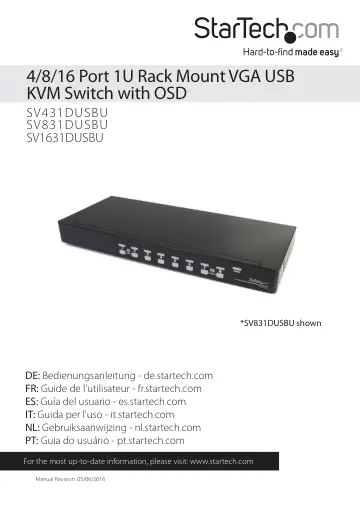
StarTech.com SV431DUSBU user manual
- Type
- User manual
- Language
- English
- Pages
- 19
- Category
- Docks & adapters
- Models
- SV1631DUSBUSV431DUSBUSV831DUSBU
Open PDFOpens the file on objects.icecat.biz.
Contents
- Introductionp. 4
- System Requirementsp. 4
USB compatible 3 button wired mouse • USB compatible 104-key keyboard • VGA enable display device • StarTech.com KVM cables • VGA enable computer systems
- Installationp. 5
Hardware Installation WARNING! Prior to installation, please ensure that all computers and KVM switch(es) are powered down. Console Connection The SVxxxDUSBU…
- Hardware Installationp. 5
WARNING! Prior to installation, please ensure that all computers and KVM switch(es) are powered down. Console Connection The SVxxxDUSBU series of KVM switches…
- Connecting Computer to the KVM Switchp. 5
To connect a computer to the KVM switch, use the appropriate StarTech.com KVM cable to connect from one of the PC ports located on the rear panel of the KVM…
- Cascaded configurationsp. 6
NOTE: The Master KVM switch must have equal or more PC ports than that of the Slave KVM switches. For example, if an 8-port switch is the Master, an 8-port or…
- Operationp. 7
You may select a computer by pressing the front panel push button directly, by issuing hot-key commands or by activating the OSD window. The front panel…
- OSD (On Screen Display) Operationp. 8
By hitting the left <CTRL> key twice within two seconds, you may see the ’Hotkey Menu’ if it is enabled (an OSD option). Or, by hitting the left <CTRL> key…
- Change Leading Hotkeyp. 14
The default leading hotkey sequence involves pressing the left <CTRL> twice in succession (e.g. left <CTRL>, left <CTRL>). This can be changed to the right…
- Specificationsp. 17
- Technical Supportp. 18
StarTech.com’s lifetime technical support is an integral part of our commitment to provide industry-leading solutions. If you ever need help with your product…
- Warranty Informationp. 18
This product is backed by a three year warranty. In addition, StarTech.com warrants its products against defects in materials and workmanship for the periods…