Loading manual…
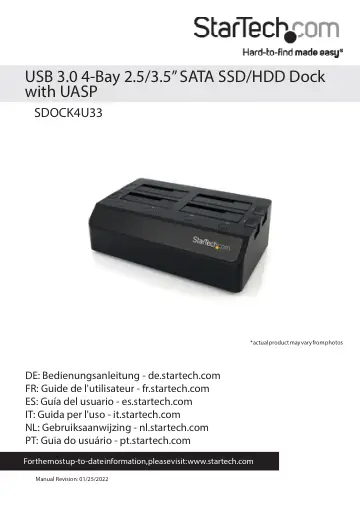
StarTech.com SDOCK4U33 user manual
- Type
- User manual
- Language
- English
- Pages
- 12
- Category
- Storage & drives
- Models
- SDOCK4U33
Open PDFOpens the file on objects.icecat.biz.
Contents
- Product Diagramp. 4
- Front Viewp. 4
- Rear Viewp. 5
1. Cooling Fan #2 speed control 2. USB 3.0 port 3. Power adapter port 4. Cooling Fan #1 speed control
- Introductionp. 6
- System Requirementsp. 6
Computer system with available USB 3.0 (5 Gbit/s) port or USB 2.0 port (480Mbps) • Up to four 2.5” or 3.5” SATA Hard Drives (HDD) or Solid State Drives (SSD)
- Installationp. 6
WARNING! Hard drives and docking stations require careful handling. If you are not careful with your hard disk, lost data may result. Always handle your hard…
- Docking Station Installationp. 6
1. Connect the Dock to an available power outlet, using the provided power adapter. 2. Connect the Dock to your computer system, using the provided USB 3.0…
- Drive Installationp. 7
1. Carefully align and insert the 2.5” or 3.5” SATA drive(s) you wish to dock in the desired hard drive slot on the docking station, such that the SATA power…
- Drive Removalp. 7
WARNING! Ensure your hard drive(s) has been disconnected/ejected from your computer operating system prior to attempting drive removal. Failure to properly…
- Docking Station Operationp. 8
Drive Initialization Prior to using your installed drive, it will need to be initialized and formatted to the operating system requirements in order for your…
- Drive Initializationp. 8
Prior to using your installed drive, it will need to be initialized and formatted to the operating system requirements in order for your computer system to…
- LED Indicatorsp. 9
The docking station offers a power LED indicator (blue) and an activity LED indicator (red) for each drive. When the drive is powered on, the Blue LED Power…