Loading manual…
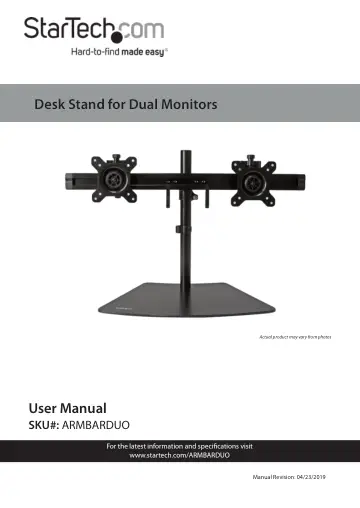
StarTech.com Dual-Monitor Stand (ARMBARDUO) user manual
- Type
- User manual
- Language
- English
- Pages
- 24
- Category
- Monitors
- Models
- ARMBARDUO
Open PDFOpens the file on objects.icecat.biz.
Contents
- Compliance Statementsp. 2
Use of Trademarks, Registered Trademarks, and other Protected Names and Symbols This manual may make reference to trademarks, registered trademarks, and other…
- Warning Statementsp. 3
Make sure that you assemble this product according to the instructions. • Do not exceed the weight capacity of this product. Overloading this product might…
- Safety Statementsp. 6
Safety Measures • Cables (including power and charging cables) should be placed and routed to avoid creating electric, tripping or safety hazards. Mesures de…
- Product Diagramp. 8
Front View 1 Crossbar 5 Height Adjustment Ring 2 VESA Monitor Mounts (x 2) 6 Cable-Management Clip 3 Pole 7 Baseplate 4 Crossbar Cable- Management Clip 1 2 3 4…
- Front Viewp. 8
Crossbar 5 Height Adjustment Ring 2 VESA Monitor Mounts (x 2) 6 Cable-Management Clip 3 Pole 7 Baseplate 4 Crossbar Cable- Management Clip 1 2 3 4 7 6 5
- Product Dimensionsp. 9
- Product Informationp. 10
Package Contents Pole Qty: One Baseplate Qty: One M6x15 mm Screws Qty: Three Cable-Management Clip Qty: One
- Assemblyp. 13
Warning! Make sure that all of the hardware is assembled securely and checked for stability before you install the moni tors
- Assembling the Basep. 13
1. Insert the three M6x15 mm Screws through the three holes in the Baseplate and into the Pole. Inserting the M6x15 mm Screws into the Baseplate 2. Using the…
- Attaching the Crossbarp. 14
1. Slide the Height-Adjustment Ring down the Pole to the height that you want the monitors to be at. 2. Press the lever on the Height-Adjustment Ring to…
- Adjusting the Monitor Platesp. 15
1. Loosen the Plates on the Crossbar, by turning the Thumb Screws at the bottom of the plates counterclockwise.
- Attaching the Monitors - Flush Installationp. 17
Warnings! The Desk Stand is designed to display two moni tors between 15 and 24 inches in size. The maximum weight capacity of the Desk Stand is a total of…
- Attaching the Monitors - Recessed Installationp. 18
1. Insert four of the M4x30 mm Screws through the VESA Monitor Mount, into four of the Plastic Spacers, and into the Mounting Holes on the back of the Monitor.…
- Adjusting the Monitorsp. 20
Tilt Adjustment The Monitors can be tilted to commodate different viewing angels (15 degrees downward or upward). • Place both of your hands on either side of…
- Tilt Adjustmentp. 20
The Monitors can be tilted to commodate different viewing angels (15 degrees downward or upward). • Place both of your hands on either side of the Monitor and…
- Swivel Adjustmentp. 20
The Monitors can be adjusted on a 360 degree swivel. • Place both of your hands on either side of the Monitor and apply light pressure either left or right.…
- Tightening the VESA Mountp. 21
If monitor adjustment are not holding in place the Hex Screw on the back of the VESA Monitor Mount will need to be tightened. 1. Remove the VESA Monitor Mount…
- Routing the Cablesp. 21
The Desk Stand comes with three Cable-Management Clips that you can use to direct the monitor cables along the Crossbar and down the Pole so that they are out…