Loading manual…
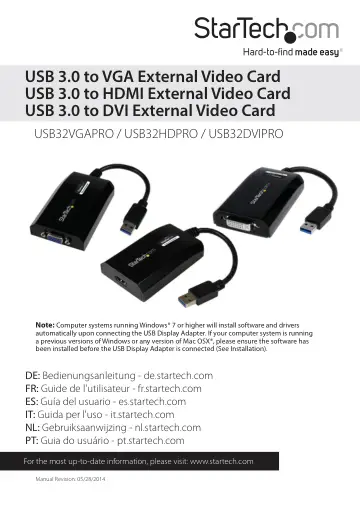
StarTech.com USB 3.0 to HDMI Adapter (USB32HDPRO) user manual
- Type
- User manual
- Language
- English
- Pages
- 15
- Category
- Monitors
- Models
- USB32HDPROUSB32VGAPRO
Open PDFOpens the file on objects.icecat.biz.
Contents
- Introductionp. 4
Packaging Contents • 1x USB 3.0 Video Adapter • 1x Driver/Software CD • 1x Instruction Manual • 1x DVI-to-VGA Adapter (for USB32DVIPRO only)
- System Requirementsp. 4
VGA-enabled display (e.g. Monitor, Projector, Television) (for USB2VGAPRO) Or HDMI-enabled display (e.g. Projector, Television) (for USB2HDPRO) Or DVI-enabled…
- Installationp. 5
Windows Installation Computer systems running Windows® 7 or higher will install software and drivers automatically upon connecting the USB Display Adapter. If…
- Windows Installationp. 5
Computer systems running Windows® 7 or higher will install software and drivers automatically upon connecting the USB Display Adapter. If your computer system…
- Mac OSX Installationp. 6
Note: Please ensure the software has been installed before the USB Display Adapter is connected to your Mac (Installation steps below). 1. Insert the Driver CD…
- Multiple USB Video Adapter Installationp. 7
Ensure you have the latest version of the drivers installed; otherwise, please download them from the StarTech.com website (www.startech.com). 1. Complete the…
- Configuring the USB Video Adapterp. 8
Windows® When devices are attached, an icon appears in the taskbar. This gives you access to the DisplayLink manager menu. 1. From the taskbar, click the Show…
- Windows®p. 8
When devices are attached, an icon appears in the taskbar. This gives you access to the DisplayLink manager menu. 1. From the taskbar, click the Show hidden…
- Mac OSXp. 11
To configure the display settings and monitor positions, bring up the Displays Preferences from the System Preferences menu: The Display settings for each…
- Specificationsp. 13
- Technical Supportp. 14
StarTech.com’s lifetime technical support is an integral part of our commitment to provide industry-leading solutions. If you ever need help with your product…
- Warranty Informationp. 14
This product is backed by a two year warranty. In addition, StarTech.com warrants its products against defects in materials and workmanship for the periods…