Loading manual…
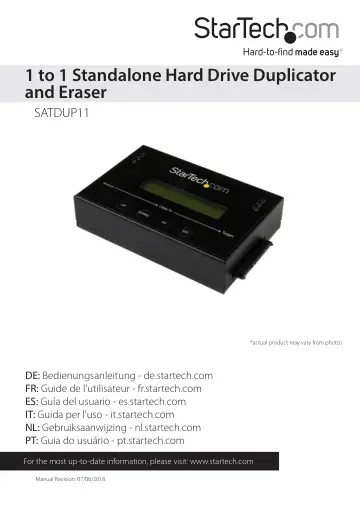
StarTech.com 1:1 Standalone Hard Drive Duplicator & Eraser (SATDUP11) user manual
- Type
- User manual
- Language
- English
- Pages
- 21
- Category
- Monitors
- Models
- SATDUP11
Open PDFOpens the file on objects.icecat.biz.
Contents
- Product Diagramp. 4
- Front Viewp. 4
Rear View 1. Display Screen 2. Navigation buttons 3. OK button 4. Esc button 5. SATA HDD source port 6. SATA HDD Target port 1. Power Switch 2. Power Adapter…
- Rear Viewp. 4
- Introductionp. 5
- Hardware Setupp. 6
1. Ensure the power switch is set in the off position. Connect the included power adapter from an available AC power outlet to the Power Adapter Port on the…
- User Menu Table of Contentsp. 7
1. Copy 2. Compare 3. Copy and Compare 4. Erase 4.1 Quick Erase 4.2 Full Erase 4.3 DoD Erase 4.4 Dod Erase Comp 5.Utility 5.1 Show HDD Info 5.1.1 Model Number…
- Hardware Operationp. 8
1. Copy Copy Process Copy Result Copy Pass Copied Time Copied Progress % Copied Data Capacity Total Data Capacity No Bad Sector! 2047M 0:58 0:26 50% 1037M The…
- 1. Copyp. 8
Copy Process Copy Result Copy Pass Copied Time Copied Progress % Copied Data Capacity Total Data Capacity No Bad Sector! 2047M 0:58 0:26 50% 1037M The copy…
- 2. Comparep. 9
- 3. Copy & Comparep. 9
4. Erase The Compare function can be used after a duplication s finished to confirm the data on the target HDD is identical to the source HDD. The Copy &…
- 4. Erasep. 9
The Compare function can be used after a duplication s finished to confirm the data on the target HDD is identical to the source HDD. The Copy & Compare…
- 5. Utilityp. 11
From the Utility options you can access different administrative configurations and information. See the list below outlining the details of each option. Refer…
- 6. Setupp. 16
From the Setup function you can access different advanced configurations. See the list below outlining the details of each option. Refer to functions [6.1 –…
- Technical Supportp. 20
StarTech.com’s lifetime technical support is an integral part of our commitment to provide industry-leading solutions. If you ever need help with your product…
- Warranty Informationp. 20
This product is backed by a two year warranty. In addition, StarTech.com warrants its products against defects in materials and workmanship for the periods…