Loading manual…
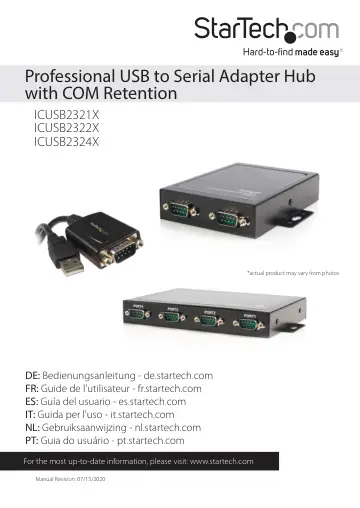
StarTech.com ICUSB2321X user manual
- Type
- User manual
- Language
- English
- Pages
- 18
- Category
- Docks & adapters
- Models
- ICUSB2321XICUSB2322XICUSB2324X
Open PDFOpens the file on objects.icecat.biz.
Contents
- Introductionp. 4
Thank you for purchasing a StarTech.com Professional USB to RS-232 Serial Adapter. This innovative device offers a simple way to utilize serial devices using a…
- System Requirementsp. 4
USB enabled computer system with available USB port
- Hardware Guidep. 5
ICUSB2321X Rear Panel USB type B connector DC Power Input (optional) DC Terminal Block Input (optional) DB9 Male Port DB9 Male Port USB type A connector…
- Installationp. 7
It is recommended that you download the latest driver installation package for this product from the www.startech.com website and then follow the
- Manual Installationp. 7
procedure below. If you are using an older driver (either from an included CD or having downloaded an older version) then please follow the Automatic…
- Automatic Installationp. 12
Notes: New versions of this product do not include the Driver CD. In order to ensure successful installation, please install the necessary software (included)…
- Verifying Installationp. 12
Windows 1. Open the Device Manager by right-clicking on Computer, and then select Manage. In the new Computer Management window, select Device Manager from the…
- Configurationp. 13
To configure the USB Serial port: 1. In the Device Manager, double-click on “Ports (COM & LPT)” to expand. 2. Right-click on the newly added serial port and…
- Pinoutp. 13
- Manual Installation Troubleshootingp. 14
If Windows does not successfully install the adapter by following the above steps, please follow the procedure below to successfully install the adapter. 1. On…
- Specificationsp. 16
- Technical Supportp. 17
StarTech.com’s lifetime technical support is an integral part of our commitment to provide industry-leading solutions. If you ever need help with your product…
- Warranty Informationp. 17
This product is backed by a two year warranty. In addition, StarTech.com warrants its products against defects in materials and workmanship for the periods…