Loading manual…
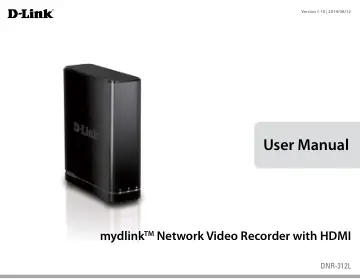
D-Link DNR-312L user manual
- Type
- User manual
- Language
- English
- Pages
- 81
- Models
- DNR-312L
Open PDFOpens the file on objects.icecat.biz.
Contents
- Product Overviewp. 5
D-Link DNR-312L mydlink Network Video Recorder with HDMI output • Ethernet Cable • Power Adapter • Manual and Software on CD • Quick Install Guide Note: Using…
- System Requirementsp. 6
- Introductionp. 7
Congratulations on your purchase of the DNR-312L mydlink NVR. The DNR-312L is a standalone wired Network Video Recorder (NVR) which supports multi-channel…
- Featuresp. 8
Comprehensive IP Surveillance Solution • Total Solution: The DNR-312L is a standalone network video recorder capable of 24/7 recording without a PC. The NVR…
- Hardware Overviewp. 11
Front View Power LED COMPONENT DESCRIPTION Power LED A solid green light indicates the device is powered on. This light will blink during bootup. If the power…
- Installationp. 13
The Setup Wizard will walk you through installing and configuring your DNR-312L, including installing the hard drive and connecting it to your network.…
- NVR Software CDp. 13
- Setup Wizard - Windowsp. 14
Note: The computer used to access the NVR must be on the same subnet as the NVR. If your network is using a DHCP server, the NVR will automatically be in the…
- Setup Wizard - Macp. 26
Double-click the DNR-312L Setup Wizard file to start the Setup Wizard, which will guide you through the installation process from connecting your hardware to…
- mydlinkp. 27
Website After registering your NVR with a mydlink account in the NVR Setup Wizard, you can remotely access your NVR from www.mydlink.com from a computer…
- mydlink Websitep. 27
After registering your NVR with a mydlink account in the NVR Setup Wizard, you can remotely access your NVR from www.mydlink.com from a computer, tablet, or…
- mydlink View - NVR Appp. 34
The mydlink View - NVR app requires iOS version 5.1.1 or above or Android version 4.01 or above. Once the download has been completed, launch the “mydlink View…
- Configurationp. 41
You can access the configuration interface for the NVR on your PC by running the NVR Search Utility or manually opening a web browser and enter the IP address…
- Live Videop. 42
from your network cameras, the functions of the live video screen, and the PTZ functions. Step 1: Click the LIVE button at the top of the screen. Step 2…
- Playbackp. 46
This section shows the NVR's recorded video feeds. You may select any of the available icons listed below to play back, adjust, and export the recorded video…
- Menu Barp. 47
By moving your mouse to the left side of the screen, the Menu bar will appear. You can click the icons in this bar to access different sections, which are…
- Setup Wizardp. 48
The Setup Wizard, helps you set up and configure the basic settings of the NVR. Select the language you want to use, then click the Next button to start the…
- Setupp. 49
Network Network Setup Network Setup lets you configure how you connect the NVR to the internet. The default value 255.255.255.0 is used to determine if the…
- Camera Searchp. 66
The Camera Search function lets you automatically add cameras to the NVR. You can then view camera information and preview the camera’s feed. To add cameras…
- Albump. 67
If you have taken screenshots from the live page, you can view them in the Album. You can also export or delete screenshots from this page.
- Backupp. 68
Check the Enable option to backup your recording data according to a daily schedule. The daily scheduled time to start the backup process. Select a time period…
- Helpp. 70
The NVR Help page provides a list of support topics.
- Applicationsp. 71
In Windows, you can insert the CD and click NVR Search Utility to run another useful setup tool. When powered on, during the initial boot sequence, the device…
- D-Link NVR Search Utility - Windowsp. 71
Network Video Recorder: Refresh: Configuration: LAN: Receive DHCP: Apply: About: Exit: The D-Link NVR Search Utility displays any NVR devices it detects on the…
- D-Link NVR Search Utility - Macp. 73
- Playback Managerp. 74
Play Recorded Video Click the PLAYBACK tab at the top of the menu. Click the day highlighted in RED on the calendar. The View Recorded Files Window will show…
- Remote Backupp. 76
You can run the remote backup application to back up your files. Run the application by going to Start > Programs > D-Link > DNR-312L > Remote Backup. Step 1…
- Verification Toolp. 78
The Verification Tool verifies whether the data created by the system has been tampered with. It’s the process by which a digital watermark (a digital…
- Troubleshootingp. 79
Replacing a failed disk drive If a disk drive fails, the Disk Status LED will turn red. When replacing a failed disk drive, be sure to use a new drive of the…
- Technical Specificationsp. 80
Firmware Specifications OS + Linux CAMERAS SUPPORT + Supports all D-Link network cameras. Includes support for auto-discovery and up to 3 megapixel resolution.…