Loading manual…
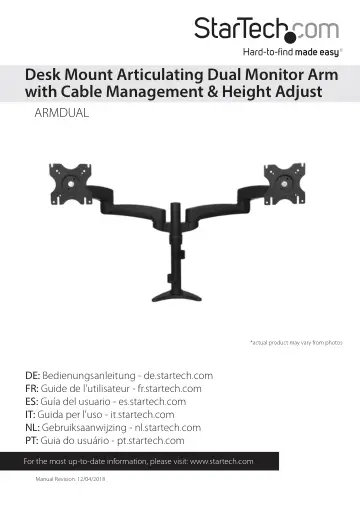
StarTech.com Desk-Mount Dual Monitor Arm (ARMDUAL) user manual
- Type
- User manual
- Language
- English
- Pages
- 17
- Category
- Monitors
- Models
- ARMDUAL
Open PDFOpens the file on objects.icecat.biz.
Contents
- Introductionp. 4
Package contents LCD arms Qty: Two Dual mount Qty: One Desk clamp Qty: One Spacers Qty: Eight M4x12 mm screws Qty: Eight M4x25 mm screws Qty: Eight Grommet…
- Product diagramp. 5
- Installationp. 6
WARNING! The maximum weight capacity of the Dual Monitor Arm is 27.2 kg (60 lbs)
- Convert the desk clamp to a grommet clampp. 6
The Dual Monitor Arm can be clamped to a desk or table, or mounted through a grommet hole. The following instructions outline how to convert the default desk…
- Desk or grommet mountingp. 8
1. Adjust the height of the desk clamp (3) to fit your desk surface (if applicable). The clamp can be extended up to 75 mm (3 in.). 2. Place the four plastic…
- Attach the displaysp. 10
1. Loosen the collar on the support post and adjust it to the desired height. 2. Attach each of the LCD arms (1) to the dual mount (2). 3. Use the M5 Allen key…
- Cable managementp. 13
Note: When you attach the cables and route them through the cable management channels, ensure that you leave enough slack to avoid stretching or pulling out…
- Adjusting LCD arm resistancep. 14
WARNING! Forced movement of the LCD arms or mount brackets without loosening the screws may damage the product or the mounted displays. Always support your…
- Specificationsp. 15
Weight Capacity 60 lbs (27.2 kg) Max Display Size 24” VESA Compatibility 75x75 mm and 100x100 mm Maximum Extension 18.66 in (474 mm) Maximum Mounting Surface…
- Technical Supportp. 16
StarTech.com’s lifetime technical support is an integral part of our commitment to provide industry-leading solutions. If you ever need help with your product…
- Warranty Informationp. 16
This product is backed by a five-year warranty. In addition, StarTech.com warrants its products against defects in materials and workmanship for the periods…