Loading manual…
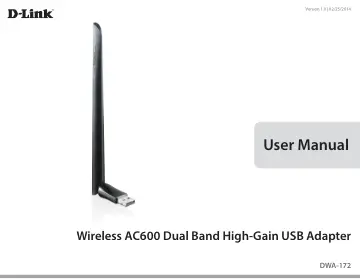
D-Link Wireless AC600 High-Gain USB Adapter (DWA-172) user manual
- Type
- User manual
- Language
- English
- Pages
- 43
- Category
- Docks & adapters
- Models
- DWA-172
Open PDFOpens the file on objects.icecat.biz.
Contents
- Prefacep. 2
- Manual Revisionsp. 2
Trademarks D-Link and the D-Link logo are trademarks or registered trademarks of D-Link Corporation or its subsidiaries in the United States or other…
- Trademarksp. 2
D-Link and the D-Link logo are trademarks or registered trademarks of D-Link Corporation or its subsidiaries in the United States or other countries. All other…
- Product Overviewp. 4
D-Link DWA-172 Wireless AC600 Dual Band High-Gain USB Adapter • Manual and Warranty on CD • D-Link Wireless Connection Manager on CD • Quick Installation Guide
- System Requirementsp. 4
A computer or laptop with an available USB 2.0 or USB 3.0 port • Windows® 8, 7, Vista or XP (Service Pack 3) • CD-ROM Drive • A 802.11ac, 802.11n, 802.11g or…
- Introductionp. 5
The Wireless AC600 Dual Band High-Gain USB Adapter (DWA-172) delivers powerful wireless AC technology to your desktop or notebook computer. Simply plug the…
- Featuresp. 6
IEEE 802.11ac, 802.11n, 802.11g and 802.11a Compliant • Dual Band N Technology for use in 2.4GHz or 5GHz Networks • Wireless AC Technology for Superior…
- Hardware Overviewp. 7
USB Port Used to connect the DWA-172 to your computer. WPS Button Press the WPS button to automatically connect to a WPS-enabled wireless router or access…
- Installationp. 8
Getting Started Installation This section will walk you through the installation process. If you have a built-in wireless adapter, please disable it in device…
- Getting Startedp. 8
Installation This section will walk you through the installation process. If you have a built-in wireless adapter, please disable it in device manager before…
- Wireless Installation Considerationsp. 11
The D-Link wireless adapter lets you access your network using a wireless connection from virtually anywhere within the operating range of your wireless…
- Adapter Installationp. 12
Click Install Drivers
- Connect to a Wireless Networkp. 17
- Windows® 8p. 17
1. Click on the wireless computer icon in your system tray (lowerright corner next to the time). 2. A list of available wireless networks will appear. 3. Click…
- Using Windows® 7p. 19
Windows® 7 users may use the built-in wireless utility. If you are using another company’s utility, please refer to the user manual of your wireless adapter…
- Using Windows Vista®p. 20
Windows Vista® users may use the built-in wireless utility. If you are using another company’s utility, please refer to the user manual of your wireless…
- Using Windows® XPp. 21
Windows® XP users may use the built-in wireless utility (Zero Configuration Utility). The following instructions are for Service Pack 2 users. If you are using…
- Wireless Securityp. 22
This section will show you the different levels of security you can use to protect your data from intruders. The DWA-172 offers the following types of…
- What is WPA?p. 22
WPA, or Wi-Fi Protected Access, is a Wi-Fi standard that was designed to improve the security features of WEP (Wired Equivalent Privacy). The 2 major…
- Troubleshootingp. 30
1. How do I know if my adapter is installed properly? Select the Hardware Tab. Troubleshooting This chapter provides solutions to problems that can occur…
- Wireless Basicsp. 34
D-Link wireless products are based on industry standards to provide easy-to-use and compatible high-speed wireless connectivity within your home, business or…
- Wireless Modesp. 38
- Networking Basicsp. 39
Check your IP address Windows® XP Users • Click on Start > Run. In the run box type cmd and click OK. • At the prompt, type ipconfig and press Enter. • This…
- Check your IP addressp. 39
Windows® XP Users • Click on Start > Run. In the run box type cmd and click OK. • At the prompt, type ipconfig and press Enter. • This will display the IP…
- Statically Assign an IP Addressp. 40
If you are not using a DHCP capable gateway/router, or you need to assign a static IP address, please follow the steps below: Windows® 8 Users • Press the…
- Technical Specificationsp. 43