Loading manual…
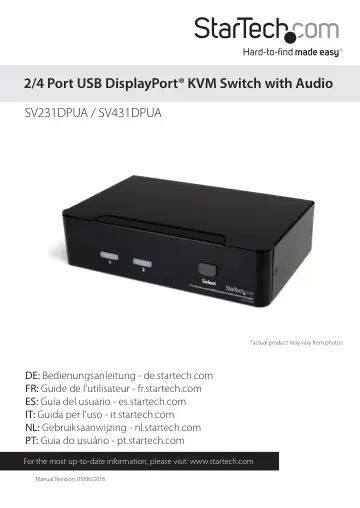
StarTech.com *actual product may vary from photos (SV231DPUA) user manual
Open PDFOpens the file on objects.icecat.biz.
Contents
- Introductionp. 4
- Featuresp. 4
- System Requirementsp. 4
DisplayPort enabled computer system/video card • USB enabled computer system • DisplayPort enabled display device (e.g. monitor, projector, TV, etc.) •…
- Installationp. 4
, no drivers required • Supports Plug and Play and hot swap to save time from rebooting the computer • Supports data transfer rates up to 480Mbps when used on…
- Hardware Installationp. 5
Front View - SV231DPUA Rear View - SV231DPUA Port Selection/Link LED Port Selection Button
- Driver Installationp. 8
No driver installation is required for the KVM switch, as the keyboard and mouse use generic USB keyboard/mouse drivers that are already installed on any…
- Operationp. 8
has been successfully confirmed, switch to the next port and power up that computer/device and confirm. 9. Once completed for all computers/devices connected…
- Front Panelp. 8
Port Selection/Link LED The LED turns green when the connected computer is powered-on. The corresponding LED will also illuminate red when that PC port is…
- Port Selection Buttonp. 9
2-Port: Pressing the front panel “Select” button will toggle between the two ports on the KVM switch. 4-Port: Each push button on the front panel corresponds…
- AutoScanp. 9
The system automatically scans through the power-on computers in sequence with a fixed interval (see
- Scan Timep. 9
below). 4-Port: To activate AutoScan, press front panel push buttons “3” and “4” simultaneously. The port selection LED will flash during AutoScan. AutoScan…
- Auto Scanp. 10
The KVM automatically scans through the powered-on computers in sequence on a fixed time interval (see Scan Time below). Note: The keyboard and mouse are not…
- Manual Scanp. 10
allows users to manualls switch back and forth between powered-on computers. Left <CTRL> + Left <CTRL> + <F2> To select the previous or the next computer…
- Alternative Hotkey Commandsp. 12
In addition to the Left <CTRL> + Left <CTRL> hotkeys, there are two alternative hotkey sequences available. 1. 1. For the following operations, users may press…
- Change Leading Hotkeyp. 13
The default leading hotkey sequence involves pressing the left <CTRL> twice in succession (e.g. left <CTRL> + left <CTRL>). This can be changed to the right…
- Specificationsp. 14
SV231DPUA SV431DPUA Number of Ports 2 4 Computer Connectors (per port) 1 x DisplayPort 1 x USB type B 2 x 3.5mm mini-jack Console Connectors 1 x DisplayPort 1…
- Technical Supportp. 16
StarTech.com’s lifetime technical support is an integral part of our commitment to provide industry-leading solutions. If you ever need help with your product…
- Warranty Informationp. 16
This product is backed by a three year warranty. In addition, StarTech.com warrants its products against defects in materials and workmanship for the periods…