Loading manual…
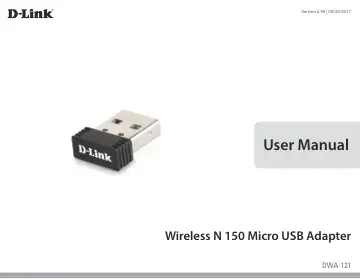
D-Link DWA-121 user manual
- Type
- User manual
- Language
- English
- Pages
- 52
- Models
- DWA-121
Open PDFOpens the file on objects.icecat.biz.
Contents
- Product Overviewp. 3
D-Link DWA-121 Wireless N 150 Micro USB Adapter • Manual and Warranty on CD • Quick Installation Guide
- System Requirementsp. 3
A computer or laptop with an available USB port • Windows® 10/ 8.1/ 8/ 7 • CD-ROM drive • 1.3 GHz processor and at least 128 MB of RAM • A 802.11n/g/b access…
- Introductionp. 4
The DWA-121 Wireless N 150 Micro USB Adapter is a convenient wireless connectivity solution for desktop or notebook PCs. Instead of stringing Ethernet cables…
- Featuresp. 5
Compact size that doesn’t hinder or block other ports or peripherals connected to your PC or laptop • Fully 802.11g/n compatible • Powered by the USB port; no…
- Hardware Overviewp. 6
USB Connector Used to connect the DWA-121 to your computer. 1
- Installationp. 7
Getting Started Installation This section will walk you through the installation process. If you have a built-in wireless adapter, please disable it in Device…
- Getting Startedp. 7
Installation This section will walk you through the installation process. If you have a built-in wireless adapter, please disable it in Device Manager before…
- Driver Installationp. 10
Before using the DWA-121 Wireless N 150 Micro USB Adapter, you must first install the device driver from the included D-Link CD. Warning: Do NOT connect the…
- Wireless Installation Considerationsp. 13
The D-Link wireless adapter lets you access your network using a wireless connection from virtually anywhere within the operating range of your wireless…
- Connecting to a Wireless Networkp. 14
To connect to a wireless network
- Using Windows 10p. 14
, you will need to know the wireless network name (SSID) and Wi-Fi password (security key) of the device you are connecting to. To join an existing network…
- Using Windows 8.1/ Windows 8p. 16
It is recommended to enable wireless security (WPA/WPA2) on your wireless router or access point before configuring your wireless adapter. If you are joining…
- Using Windows 7p. 18
Windows 7 users may use the built-in wireless utility to connect to a wireless network. If you are using another company’s utility or Windows 2000, please…
- Troubleshootingp. 23
1. How do I know if my adapter is installed properly? Click Device Manager. Troubleshooting This chapter provides solutions to problems that can occur during…
- Wireless Basicsp. 27
D-Link wireless products are based on industry standards to provide easy-to-use and compatible high-speed wireless connectivity within your home, business or…
- Wireless Modesp. 31
- Networking Basicsp. 32
Check your IP address After you install your new D-Link wireless adapter and have established a wireless connection, by default, the TCP/IP settings should be…
- Check your IP addressp. 32
After you install your new D-Link wireless adapter and have established a wireless connection, by default, the TCP/IP settings should be set to obtain an IP…
- Statically Assign an IP addressp. 33
If you are not using a DHCP capable gateway/router, or you need to assign a static IP address, please follow the steps below: • Click on Start > Control Panel…
- Technical Specificationsp. 34
- Regulatory Statementsp. 35
Federal Communication Commission Interference Statement This equipment has been tested and found to comply with the limits for a Class B digital device…