Loading manual…
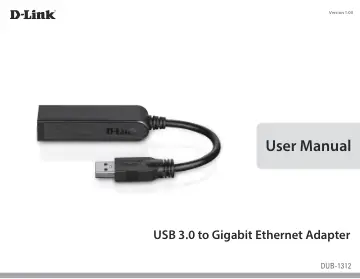
D-Link USB 3.0 to Gigabit Ethernet Adapter (DUB-1312) user manual
- Type
- User manual
- Language
- English
- Pages
- 24
- Category
- Docks & adapters
- Models
- DUB-1312
Open PDFOpens the file on objects.icecat.biz.
Contents
- System Requirementsp. 4
Computer with the following: • Microsoft Windows® 8/7/Vista®/XP, Linux, or Mac OS X 10.6 to 10.8 • Pentium 2.0 GHz or higher with a minimum of 32 MB RAM •…
- Introductionp. 5
Thank you for choosing the D-Link DUB-1312 USB 3.0 to Gigabit Ethernet Adapter. The DUB-1312 is specifically designed to plug into an available Universal…
- Featuresp. 6
Designed for versatility and performance, the DUB-1312 USB 3.0 to Gigabit Ethernet Adapter has the following features: • Compliant with the latest USB 3.0…
- Hardware Overviewp. 7
ID COMPONENT DESCRIPTION 1 Ethernet Port Plug an Ethernet cable from a switch, hub, or router into this port. 2 USB Connector Plug this connector into a USB…
- Software Installationp. 8
Insert the CD included with the DUB-1312 into your computer’s DVD or CD drive, then proceed to the appropriate installation section on the following pages…
- Windows 7p. 8
- Windows Vistap. 10
After you put the CD into the CD drive, the DUB-1312 user interface menu screen will appear. Click on Install to begin the DUB-1312 driver installation. The…
- Windows XPp. 11
x64 user will have need to disable WHQL checking in order to install the driver. Note: The DUB-1312 user interface may differ in appearance for different…
- Mac OS Xp. 14
10.5, but the steps are similar in other versions of OS X. Your operating system must be version 10.4 or above. Mac OS X Double-click DUB-13X2_v1.4.0.pkg.
- Linux 2.6.14p. 17
This driver is designed for Kernel 2.6.14.x or above. To compile the provided Linux driver, you need the Linux 2.6 Kernel source. Also, please make sure the…
- Connecting the Adapter to a Networkp. 19
- Completing the Installationp. 20
Number Indication Status Description 1 Connection Speed Solid 1 Gbps connection present Off 10/100 Mbps connection present 2 Link/ACT Solid An active…
- Troubleshootingp. 21
Do I need to use a crossover cable or straight-through cable? With most of D-Link’s switches/routers, the Ethernet ports are Auto MDI-II/MDI-X. This means the…
- Technical Specificationsp. 24
Firmware Specifications Operating system • Microsoft Windows 8/7/Vista/XP • Mac OS X 10.6 to 10.8 • Linux 2.6.14 or higher Hardware Specifications PACKAGE…