Loading manual…
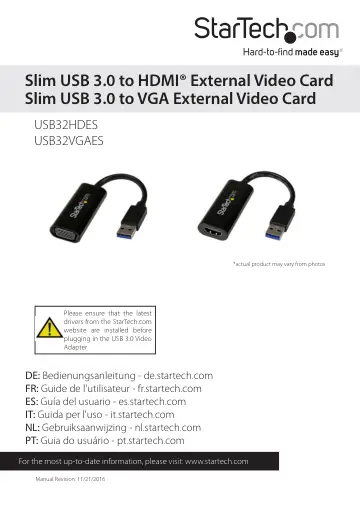
StarTech.com USB 3.0 to HDMI Adapter (USB32HDES) user manual
- Type
- User manual
- Language
- English
- Pages
- 12
- Category
- Monitors
- Models
- USB32HDESUSB32VGAES
Open PDFOpens the file on objects.icecat.biz.
Contents
- Introductionp. 4
Packaging Contents • 1 x Slim USB 3.0 Video Adapter • 1 x Driver CD • 1 x Instruction Manual
- System Requirementsp. 4
(USB32HDES) HDMI enabled display device (e.g. monitor, projector, HTDV, etc) Or (USB32VGAES) VGA enabled display device (e.g. monitor, projector, HTDV, etc) •…
- Installationp. 5
Please ensure that the driver installation is complete prior to the physical installation (plugging in) of the USB 3.0 Video Adapter
- Driver Installation Windowsp. 5
1. Download the latest drivers from the StarTech.com website (recommended), or insert the included Driver CD into your CD/DVD-ROM drive. 2. Locate the…
- Multiple USB Video Adapter Installationp. 6
Ensure you have the latest version of the drivers installed, otherwise, please download them from the StarTech.com website (www.startech.com). 1. Complete the…
- Verifying Installationp. 6
From the main desktop, right click on Computer or My Computer, then select Manage. In the Computer Management window, select Device Manager from the left…
- Supported Resolutionsp. 7
- Configuring the USB Video Adapterp. 8
Look for the USB Video Adapter icon ( ) on your
- Windowsp. 8
System Tray (next to clock). Right-click this icon to access the variety of functions associated to the adapter. Windows The USB Video Adapter drivers allow…