Loading manual…
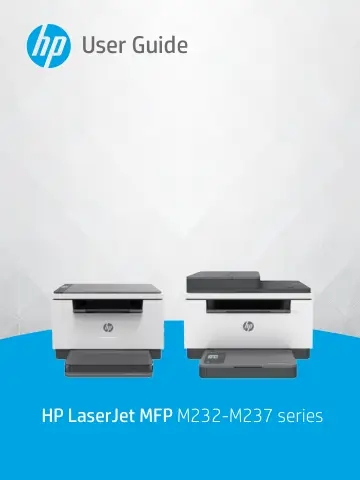
HP LaserJet M234dw Wireless Multifunction Black and white Printer (6GW99F) user manual
Open PDFOpens the file on objects.icecat.biz.
Contents
- Get startedp. 7
Printer views • Control panel features • Use the HP Smart app to print, scan, and manage ENWW 1
- Connect your printerp. 18
to a Wi-Fi network using HP Smart • Connect your printer to a Wi-Fi network using Wi-Fi Protected Setup (WPS) • Connect your printer to an Ethernet network •…
- Load mediap. 26
Load paper • Load envelopes • Load labels • Load an original on the scanner glass • Load an original in the document feeder (some models only) 20 Chapter 3…
- Printp. 34
from a Windows computer • Print from a Mac computer • Print with mobile devices NOTE: Depending on your printer, the Status light blinks or a solid green light…
- Copy and scanp. 38
Make a copy • Copy an identification (ID) card • Scan using HP Smart (iOS/Android, Windows 10, and macOS) • Scan using the HP Scan software (Windows 7) 32…
- Configure your printerp. 44
Use Web Services • Update the printer • Configure the printer using the Embedded Web Server (EWS) 38 Chapter 6 Configure your printer ENWW
- Supplies, accessories, and partsp. 51
Order supplies, accessories, and parts • Configure the HP toner-cartridge-protection supply settings • Enable or disable the Cartridge Policy feature • Replace…
- Solve problemsp. 58
HP support • Interpret control-panel light patterns • Interpret printer display codes • Print printer reports • Restore original factory defaults and settings…
- Printer specificationsp. 102
IMPORTANT: The following specification are correct at the time of publication, but they are subject to change. For current information, see…
- Service and supportp. 107
HP limited warranty statement • HP's Premium Protection Warranty: LaserJet toner cartridge limited warranty statement • HP policy on non-Original HP supplies •…
- Environmental product stewardship programp. 132
Protecting the environment • Ozone production • Power consumption • Toner consumption • Paper use • Plastics • HP LaserJet print supplies • Paper • Material…
- Regulatory informationp. 142
Regulatory statements • Wireless statements 136 Appendix D Regulatory information ENWW