Loading manual…
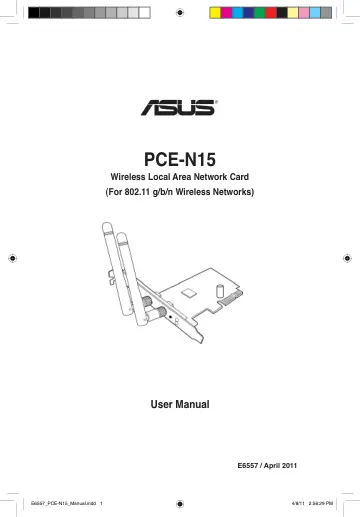
ASUS PCE-N15 (90-IG1U003M00-0PA0) user manual
- Type
- User manual
- Language
- English
- Pages
- 35
- Category
- PC components
- Models
- 90-IG1U003M00-0PA0PCEN15
Open PDFOpens the file on objects.icecat.biz.
Contents
- Noticesp. 5
- Federal Communications Commissionp. 5
This device complies with FCC Rules Part 15. Operation is subject to the following two conditions: • This device may not cause harmful interference, and • This…
- Prohibition of Co-locationp. 5
This device and its antenna(s) must not be co-located or operating in conjunction with any other antenna or transmitter
- FCC Radiation Exposure Statementp. 5
This equipment complies with RFCC radiation exposure limits set forth for an uncontrolled environment . This equipment should be installed and operated with…
- CE Mark Warningp. 6
This is a Class B product, in a domestic environment, this product may cause radio interference, in which case the user may be required to take adequate…
- DGT Warning Statementp. 6
Article 12 Without permission, any company, firm or user shall not alter the frequency, increase the power, or change the characteristics and functions of the…
- IC Warning Statementp. 6
Under Industry Canada regulations, this radio transmitter may only operate using an antenna of a type and maximum (or lesser) gain approved for the transmitter…
- IC Radiation Exposure Statement:p. 7
This equipment complies with IC RSS-102 radiation exposure limits set forth for an uncontrolled environment. This equipment should be installed and operated…
- ASUS Recycling/Takeback Servicesp. 7
ASUS recycling and takeback programs come from our commitment to the highest standards for protecting our environment. We believe in providing solutions for…
- REACHp. 7
Complying with the REACH (Registration, Evaluation, Authorisation, and Restriction of Chemicals) regulatory framework, we published the chemical substances in…
- 1. Introductionp. 11
1.2 System requirements Before using the PCE-N15 WLAN Card, check if your system meets the following requirements: • Windows ® Vista/XP/7 • Standard PCI-E slot…
- 1.1 Package contentsp. 11
Check your PCE-N15 WLAN Card package for the following items. • ASUS PCE-N15 WLAN Card x1 • External dipole antenna x2 • Quick Start Guide x1 • Support CD x1 •…
- 1.2 System requirementsp. 11
Before using the PCE-N15 WLAN Card, check if your system meets the following requirements: • Windows ® Vista/XP/7 • Standard PCI-E slot • 512MB system memory…
- 1.3 Hardwarep. 11
Status indicator LED Status Description Link On The WLAN card has connected to a wireless network successfully. Off The WLAN card is disabled. Tx/Rx Blinking…
- 2. Installing the PCE-N15 driver and utilitiesp. 12
2. From the Autorun screen, select your language and click Install Utilities/ Driver. 3. An InstallShield Wizard screen appears. Click Next to continue.…
- 3. Configuring PCE-N15 using ASUS utilityp. 13
Setup is completed. The Status page displays information such as the association state, current data rate, and radio state. 3. If Security is enabled on the AP…
- 3.1 Connecting to a wireless network manuallyp. 13
To connect PCE-N15 to a station (Ad Hoc mode) manually: 2. You may click Survey > Search to search for the wireless networks. Select a network (AP from the…
- 3.2 Connecting to a wireless network using WPSp. 14
The ASUS PCE-N15 WLAN Card supports the WPS function that helps you set up a secure wireless network easily. To connect PCE-N15 to a WPS-enabled AP or station…
- 3.3 Soft AP mode (Windows® XP/Vista/7)p. 16
PCE-N15 WLAN Card User Manual 13 ASUS WLAN Card 2. Click General table and then click ICS to enable ICS. The General table displays the wireless clients that…
- 4. Software informationp. 18
To launch WLAN utility, click Start > All Programs > ASUS Wireless LAN Card. The system tray icon switches as is shown in the picture
- 4.1 ASUS WLAN Control Centerp. 18
ASUS WLAN Control Center includes ASUS WLAN Card Setting Utility (Station mode) and ASUS Wireless Access Point Utility (Soft AP mode) which help you manage…
- 4.2 ASUS WLAN Card Setting Utilityp. 18
ASUS WLAN Card Setting Utility provides you with an easy interface to set up wireless connections. This section explains the buttons, fields, and configuration…
- 5. Configuring PCE-N15 using Windows® WZC servicep. 23
- 6. Troubleshootingp. 24
This chapter provides solutions to problems which you may encounter when installing or using the ASUS PCE-N15 WLAN card. Contact a qualified service technician…
- 7. Glossaryp. 26
Access Point (AP) A networking device that seamlessly connects wired and wireless networks. Access Points combined with a distributed system support the…