Loading manual…
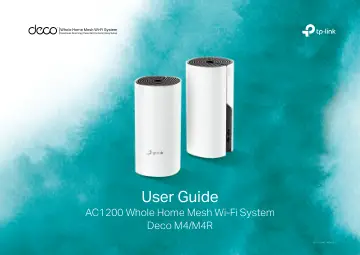
TP-Link AC1200 Deco Whole Home Mesh Wi-Fi System (DECO M4(2-PACK) V1) user manual
- Type
- User manual
- Language
- English
- Pages
- 24
- Category
- Routers & Wi-Fi
- Models
- DECO M4(2-PACK) V1
Open PDFOpens the file on objects.icecat.biz.
Contents
- About This Guidep. 3
This guide provides a brief introduction to Deco Whole Home Mesh Wi-Fi System and the Deco app, as well as regulatory information. Please note that features of…
- Appearancep. 4
Each Deco has an LED that changes color according to its status, two RJ-45 Ethernet ports and a power slot. See the explanation below: Yellow pulse: Deco is…
- Set Up Your Decop. 5
Follow the steps below to set up your Deco Whole Home Mesh Wi-Fi System. 1. Download and install the Deco app Scan the QR code below or go to Google Play or…
- Dashboardp. 7
After you successfully set up your Deco network, you will see the dashboard of the Deco app. Here you can view the connected devices and their internet speeds…
- Wi-Fi Settingsp. 8
You can change the network name and password of your main network, create a separate network for guests, and shake your device to share the network details…
- Parental Controlsp. 9
Create profiles for family members and specify the devices that belong to them. Set individualized parental controls including when and for how long each…
- Advanced Featuresp. 10
Additional features are available under the Advanced menu. You can configure and change settings according to your needs. Advanced features Change IPv4…
- Update Decosp. 14
TP-Link is dedicated to improving product features and providing a better customer experience. Update Deco when prompted in the Deco app. Update Available…
- Managersp. 15
Add friends and family members to help manage your Deco network. Each manager should have their own TP-Link ID. Managers Add a manager Manager list
- Authenticationp. 16
COPYRIGHT & TRADEMARKS Specifications are subject to change without notice. is a registered trademark of TP-Link Technologies Co., Ltd. Other brands and…