Loading manual…
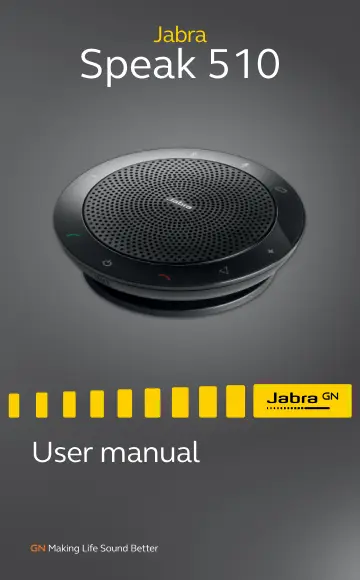
Jabra Speak 510 MS (7510-109) user manual
- Type
- User manual
- Language
- English
- Pages
- 17
- Category
- Headphones & headsets
- Models
- 7510-1097510-2097510-3097510-409PHS002W
Open PDFOpens the file on objects.icecat.biz.
Contents
- 1. Welcomep. 4
Thank you for purchasing the Jabra Speak 510. We hope you will enjoy it! JABRA SPEAK 510 FEATURES Answer, end, reject and mute calls. Connect to computer…
- 2. Speaker overviewp. 5
On/Off Answer call Volume down Bluetooth Battery level Mute microphone End/reject call Smart button* Volume up Supplied with Jabra Speak 510+ only Jabra Link…
- 2.1 Turn on the jabra speak 510p. 6
Plug the Jabra Speak 510 USB cable into any available USB port on your computer, or Press and hold (2 secs) the On/Off button to turn the Jabra Speak 510…
- 2.2 Charging the Jabra Speak 510p. 6
Plug the Jabra Speak 510 USB cable into any available USB port on your computer to charge the battery. The battery light is red when charging, and green for 1…
- 3. Connectingp. 7
1. Plug the Jabra Speak 510 USB cable into any available USB port on your computer. 2. Select the Jabra Speak 510 as the default audio device in Windows…
- 3.1 Connect to Jabra Link 370p. 8
If using a Jabra Speak 510+, the speakerphone and Jabra Link 370 are pre-paired and ready to use out of the box. To connect the speaker and Jabra Link 370: 1.…
- 3.2 Connect to mobile device (Bluetooth)p. 9
1. Press and hold (2 secs) the Bluetooth button on the Jabra Speak 510 until the Bluetooth light flashes blue. Release the button when you hear the connection…
- 3.3 Connect to Bluetooth headsetp. 10
For privacy, a bluetooth headset can be connected to the Jabra Speak 510. 1. Plug the Jabra Speak 510 into any available USB port on your computer. 2. Put the…
- 4. How to use the Jabra Speak 510p. 11
- 4.1 Multiple call handlingp. 12
The Jabra Speak 510 can accept and handle multiple calls simultaneously. Put current call on hold and answer incoming call Tap the Answer call button Switch…
- 4.2 Switch between bluetooth devicesp. 13
1. Press and hold the Bluetooth button and tap the Volume up or Volume down button to cycle between the connected devices. The connected devices will be…
- 4.3 Voice guidance on/offp. 13
To turn voice guidance on/off, press and hold (8 secs) the Mute button until you hear ‘Voice guidance off’ or ‘Voice guidance on’. NOTE: Not all voice prompts…
- 4.4 Smart buttonp. 14
The Smart button is off by default. To use the Smart button to activate your smartphone’s voice assistant (e.g. Siri, Google Assistant, Cortana) or to speed…
- 5. Softwarep. 15
5.1 Jabra direct Jabra Direct is software designed to support, manage and enable optimal functionality for Jabra devices. It is highly recommended to download…
- 5.1 Jabra directp. 15
Jabra Direct is software designed to support, manage and enable optimal functionality for Jabra devices. It is highly recommended to download and install Jabra…
- 5.2 Update Jabra Speak 510 firmwarep. 15
Firmware updates improve performance or add new functionality to Jabra devices. To update firmware: 1. Connect to a computer via USB. 2. Download and install…
- 6. Supportp. 16
6.1 FAQ View the FAQs on Jabra.com/speak510
- 6.1 faqp. 16
View the FAQs on Jabra.com/speak510
- 6.2 How to care for your Jabra Speak 510p. 16
Always store the Jabra Speak 510 with the power off and safely protected. Avoid storage at extreme temperatures (above 70°C/158°F or below -20°C/-4°F).…