Loading manual…
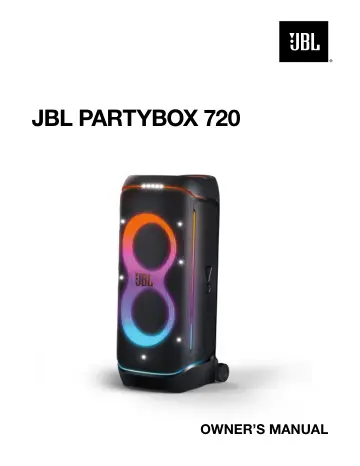
JBL PartyBox 720 (JBLPARTYBOX720EU) user manual
- Type
- User manual
- Language
- English
- Pages
- 17
- Category
- Speakers
- Models
- JBLPARTYBOX720EU
Open PDFOpens the file on objects.icecat.biz.
Contents
- IMPORTANT SAFETY INSTRUCTIONSp. 2
For all products: 1. Clean only with a dry cloth. 2. Do not block any ventilation openings. Install this apparatus in accordance with the manufacturer’s…
- 1. INTRODUCTIONp. 6
Congratulations on your purchase! This manual includes information about the JBL PARTYBOX 720 speaker. We encourage you to take a few minutes to read this…
- 2. WHAT’S IN THE BOXp. 6
2 3 * 1) Main unit 2) Power cord* 3) Quick Start Guide, Safety Sheet, Warranty Card *Power cord quantity and plug type vary by regions. 1. INTRODUCTION…
- 3. PRODUCT OVERVIEWp. 7
- 3.1 Top panelp. 7
- 3.2 Back panelp. 8
- 4. PLACEMENTp. 8
Caution: – Do not sit or lean on the speaker or push it sideways to avoid tipover and possible damages. Place the speaker on a flat, stable surface and ensure…
- 5. POWER ONp. 9
Cautions: – Use the provided power cord only. – You can use either AC power or the built-in battery as power supply to the speaker. 1 2 OFF ON 1. Connect AC…
- 6. USING YOUR PARTYBOXp. 9
Notes: – Only one sound source can be played at a time. – Starting playback from another source will always interrupt the current source
- 6.1 Bluetooth connectionp. 9
You can use the speaker with your Bluetooth enabled smartphone or tablet. ON 2 1 <10 m (33 ft) Settings Bluetooth Bluetooth DEVICES JBL PartyBox 720 Now…
- 6.2 USB connectionp. 10
• Connect the speaker with a PC, tablet, or other mobile devices for audio playback and recording (microphone and guitar/line-in input only). • Plug a USB…
- 6.3 Music controlp. 10
x 1 x 2 x 3 • Press once to pause or resume playback. • Press twice to skip to the next track. • Press three times to skip to the previous track. • Rotate the…
- 6.4 AUX connectionp. 10
1. Connect an external audio device to the speaker through a 3.5 mm audio cable (not supplied). →The speaker switches to the AUX source automatically. 2. Start…
- 6.5 Mixing sound with a microphone and / or guitar / line-in devicep. 11
By using a microphone or electric guitar / line-in device, such as a DJ mixer (not supplied), you can mix sound with an audio source. Notes: – Always set the…
- 6.6 Charging your mobile devicep. 12
Caution: – Do not connect your speaker until the USB-C port is completely dry and clean. 720 Note: – The USB charging cable is not supplied
- 6.7 Replacing batteries (JBL BATTERY 600)p. 12
1. Pull down the latch to open the battery compartment, and then remove the old batteries. 2. Insert two new batteries of the same type (JBL BATTERY 600) with…
- 7. CARRYING YOUR PARTYBOXp. 13
Cautions: – Before carrying the speaker, ensure that all the cords are disconnected. – To avoid personal injury and/or property damage, hold the product firmly…
- 8. ADVANCED USAGEp. 13
8.1 JBL app Download and install the JBL app to get more from the product
- 8.1 JBL appp. 13
Download and install the JBL app to get more from the product
- 8.2 Light effectp. 13
Press to turn light effect on or off. • Hold for more than 2 seconds to turn strobe and starry light on or off. • Rotate the knob clockwise / counterclockwise…
- 8.3 Sound effectp. 13
Press , or to select a special sound effect.
- 8.4 Multi-speaker connectionp. 14
You can connect two or more PARTYBOX speakers together for even bigger sound. Press on both speakers. To disconnect: Power off or press on either speaker. TIP…
- 8.5 Daisy chainp. 14
- 8.6 Factory resetp. 14
To restore the factory settings, hold and for more than 10 seconds.
- 8.7 IPX4p. 14
Cautions: – Always keep the charging port dry before connecting AC power. – To ensure splash resistance, always keep the protective covers closed securely. The…
- 9. SPECIFICATIONSp. 15
- 10. TROUBLESHOOTINGp. 15
Caution: – Never try to repair the product by yourself. If you have any problems while using this product, check the following points before you request…
- 11. COMPLIANCEp. 16
The product complies with Commission Regulation (EU) 2023/826 ecodesign requirements for off mode, standby mode, and networked standby energy consumption of…
- 12. TRADEMARKp. 16
The Bluetooth® word mark and logos are registered trademarks owned by Bluetooth SIG, Inc. and any use of such marks by HARMAN International Industries…