Loading manual…
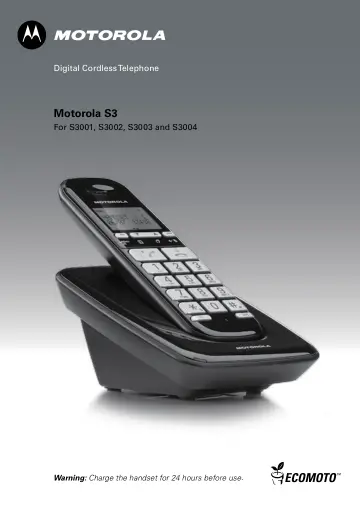
Motorola S3001 (S3001B) user manual
- Type
- User manual
- Language
- English
- Pages
- 48
- Category
- Phones
- Models
- S3001B
Open PDFOpens the file on objects.icecat.biz.
Contents
- 1. Getting startedp. 7
IMPORTANT Do not place your S3000 in the bathroom or other humid areas. Location You need to place your S3000 base within 2 metres of the mains power socket…
- 2. Getting to know your phonep. 11
Overview of your handset A In use LED Lights up when the phone is in use. B Earpiece C Display See page 10 for display icons. D Phonebook / Scroll Down /…
- 3. Using the phonep. 16
3.1 Make a call 1. Press . 2. Dial the telephone number. 3.2 Pre-dial 1. Enter the phone number (maximum 24 digits). If you make a mistake press . 2. Press to…
- 4. Phonebookp. 20
The S3000 handset phonebook can store up to 100 names and numbers. Numbers can be up to 24 digits long and names up to 12 characters long. Entries are stored…
- 5. Caller ID and Calls listp. 25
If you have subscribed to Caller ID and provided the identity of the caller is not withheld, the number of the caller will be displayed together with the date…
- 6. Clock & Alarmp. 28
If you subscribe to your network’s Caller ID service, the time on your S3000 may be set automatically each time you receive a call, depending on your network…
- 7. Personal settingsp. 29
7.1 Handset tones IMPORTANT When the phone is ringing, avoid holding the earpiece too close to your ear as it may damage your hearing. 7.1.1 Ring volume Choose…
- 8. Advanced settingsp. 33
8.1 Recall time This setting is useful to access certain network and PABX/switchboard services. The default S3000 recall time is suitable for your country and…
- 9. Helpp. 40
The icon is not scrolling during charge • Bad battery contact – move the handset slightly. • Dirty contact – Clean the battery contact with a cloth moistened…
- 10. General informationp. 41
IMPORTANT This equipment is not designed for making emergency telephone calls when the power fails. Alternative arrangements should be made for access to…