Loading manual…
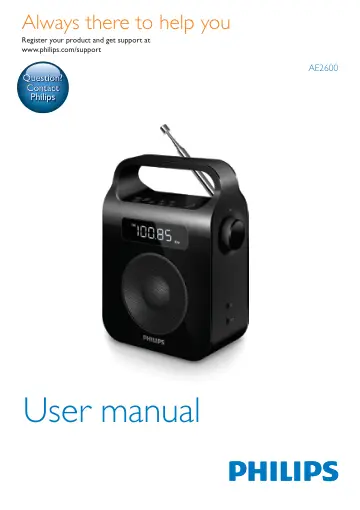
Philips Portable Radio AE2600B/12 user manual
- Type
- User manual
- Language
- English
- Pages
- 14
- Category
- Radios
- Models
- AE2600AE2600B/12
Open PDFOpens the file on objects.icecat.biz.
Contents
- 1 Importantp. 4
Safety • Make sure that there is enough free space around the product for ventilation. • Only use attachments or accessories specified by the manufacturer. •…
- Safetyp. 4
Make sure that there is enough free space around the product for ventilation. • Only use attachments or accessories specified by the manufacturer. • Battery…
- Noticep. 5
Any changes or modifications made to this device that are not expressly approved by Gibson Innovations may void the user’s authority to operate the equipment.…
- 2 Your Portable Radiop. 6
Congratulations on your purchase, and welcome to Philips! To fully benefit from the support that Philips offers, register your product at…
- What’s in the boxp. 6
Check and identify the contents of your package: • Main unit • Power adapter • Printed materials
- Introductionp. 6
With this unit, you can: • know the time; • listen to FM/MW radio stations.
- Overview of the main unitp. 7
a SCAN/PROG • Enter programming mode. • Scan and store radio stations automatically. • Set time in standby mode. b BAND • Select a tuner band: FM or MW. c •…
- 3 Get startedp. 8
Caution • Use of controls or adjustments or performance of procedures other than herein may result in hazardous radiation exposure or other unsafe operation.…
- Connect powerp. 8
You can use this radio on either AC power or battery power. Battery Life (Approx. hours) R14 (size C) 38 Option 1: AC power Caution • Risk of product damage!…
- Set clockp. 9
In standby mode, press and hold SCAN/PROG for two seconds. » » [24H] or [12H] begins to blink. 2 Press + TUNING - to set the time format, and then press…
- Turn onp. 9
Press to turn on the radio. » » The radio switches to the last selected band. • Press again to switch the radio to standby mode. » » The clock (if set)…
- 4 Listen to radiop. 10
Select FM/MW band 1 Press to turn on the radio. 2 Press BAND to select the FM or MW waveband
- Select FM/MW bandp. 10
Press to turn on the radio. 2 Press BAND to select the FM or MW waveband
- Tune to a radio stationp. 10
To tune to a radio station: • In FM/MW mode, press and hold + TUNING -. » » The radio tunes to a station with strong reception automatically. To tune to a…
- Program radio stations automaticallyp. 10
Note • You can program a maximum of 5 preset FM radio stations, and 5 preset MW radio stations. 1 Press to turn on the radio. 2 In FM/MW mode, press and hold…
- Program radio stations manuallyp. 10
- Select a preset radio stationp. 10
Press to turn on the radio. 2 In FM/MW mode, press 1 - 5 to select a preset radio station.
- 5 Other featuresp. 11
Adjust the volume level • During play, rotate the VOL knobto increase/decrease the volume level
- Adjust the volume levelp. 11
During play, rotate the VOL knobto increase/decrease the volume level
- Listen through a headphonep. 11
Plug a headphone (not supplied) into the socket on the unit.
- 6 Product informationp. 12
Note • Product information is subject to change without prior notice
- Tunerp. 12
- General informationp. 12
- 7 Troubleshootingp. 13
Warning • Never remove the casing of this apparatus. To keep the warranty valid, never try to repair the system yourself. If you encounter problems when using…