Loading manual…
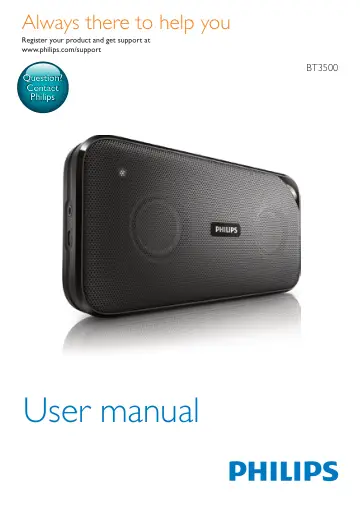
Philips wireless portable speaker BT3500B/00 user manual
- Type
- User manual
- Language
- English
- Pages
- 12
- Category
- Speakers
- Models
- BT3500BT3500B/00
Open PDFOpens the file on objects.icecat.biz.
Contents
- 1 Importantp. 3
Warning • Never remove the casing of this speaker. • Never lubricate any part of this speaker. • Never place this speaker on other electrical equipment. • Keep…
- 2 Your Bluetooth speakerp. 4
EN Overview of the speaker a Source selector (OFF/ /AUDIO IN) • Turn the speaker on or off. • Select Bluetooth or AUDIO IN source. b • Answer or reject an…
- 3 Get startedp. 6
EN Switch to standby mode • In Bluetooth mode, if Bluetooth connection is invalid or music playback is stopped for 15 minutes, this speaker switches to standby…
- 4 Use Bluetooth devicesp. 8
EN Button Function Press to answer an incoming call. Press and hold to reject an incoming call. During a call, press to end the current call. During a call…
- 5 Other featuresp. 10
EN • This product is already connected with another Bluetooth-enabled device. Disconnect that device and then try again. The paired device connects and…
- 6 Product informationp. 11
EN your old product helps to prevent potential negative consequences for the environment and human health. Your product contains batteries covered by the…
- 1 Importantp. 3
- 2 Your Bluetooth speakerp. 3
Congratulations on your purchase, and welcome to Philips! To fully benefit from the support that Philips offers, register your product at…
- 3 Get startedp. 5
Always follow the instructions in this chapter in sequence. Place the speaker To place the speaker on a flat surface, pull out the retractable stand from the…
- 4 Use Bluetooth devicesp. 6
With this speaker, you can listen to audio from Bluetooth-enabled devices and control the incoming call through Bluetooth. Connect a device Note • Make sure…
- 5 Other featuresp. 8
Listen to an external device With this speaker, you can also listen to an external audio device such as an MP3 player. 1 Connect an audio input cable with a…
- 6 Product informationp. 8
- 7 Troubleshootingp. 9
Warning • Never remove the casing of this device. To keep the warranty valid, never try to repair the system yourself. If you encounter problems when using…
- 8 Noticep. 10
Any changes or modifications made to this device that are not expressly approved by WOOX Innovations may void the user’s authority to operate the equipment.…