Loading manual…
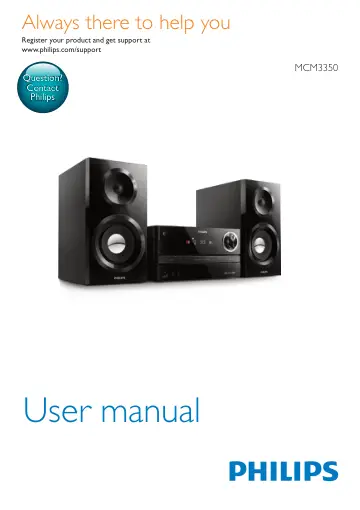
Philips Micro music system MCM3350/12 user manual
- Type
- User manual
- Language
- English
- Pages
- 24
- Category
- Speakers
- Models
- MCM3350MCM3350/12
Open PDFOpens the file on objects.icecat.biz.
Contents
- 1 Importantp. 4
Safety Read and understand all instructions before you use this micro music system. If damage is caused by failure to follow the instructions, the warranty…
- 2 Your Micro Music Systemp. 7
Congratulations on your purchase, and welcome to Philips! To fully benefit from the support that Philips offers, register your product at…
- 3 Get startedp. 11
EN Prepare the remote control Caution • Risk of product damage! When the remote control is not used for long periods, remove the batteries. To insert the…
- 4 Playp. 14
EN Program tracks This function allows you to program 20 tracks in the desired sequence. 1 In stop mode, press PROG to activate the program mode. » » [PRG]…
- 5 Listen to the radiop. 16
- 6 Adjust soundp. 18
- 7 Other featuresp. 19
EN 2 Press AUDIO IN to select AUDIO IN source. 3 Start to play the device (see the device user manual). Charge your devices With this micro music system, you…
- 8 Product informationp. 21
EN USB playability information Compatible USB devices: • USB flash memory (USB2.0 or USB1.1) • USB flash players (USB2.0 or USB1.1) • memory cards (requires an…
- 9 Troubleshootingp. 23
- 1 Importantp. 4
- 2 Your Micro Music Systemp. 7
- 3 Get startedp. 10
Caution • Use of controls or adjustments or performance of procedures other than herein may result in hazardous laser exposure or other unsafe operation.…
- 4 Playp. 13
Play from disc 1 Press CD to select CD source. 2 Press to open the disc compartment. 3 Insert a disc with the label side up. 4 Press to close the disc…
- 5 Listen to the radiop. 15
Tune to a radio station Tip • Position the antenna as far as possible from TV, VCR, or other radiation source. • For optimal reception, fully extend and adjust…
- 6 Adjust soundp. 17
The following operations are applicable to all supported media. Select a preset sound effect • Press SOUND repeatedly to select a preset sound effect. •…
- 7 Other featuresp. 18
Set the alarm timer This product can be used as an alarm clock. You can select DISC, USB, or FM as alarm source. Note • Make sure that you have set the clock…
- 8 Product informationp. 20
Note • Product information is subject to change without prior notice. Specifications Amplifier Total Output Power Maximum 130W Frequency Response 40 Hz - 20…
- 9 Troubleshootingp. 22
Warning • Never remove the casing of this device. To keep the warranty valid, never try to repair the system yourself. If you encounter problems when using…