Loading manual…
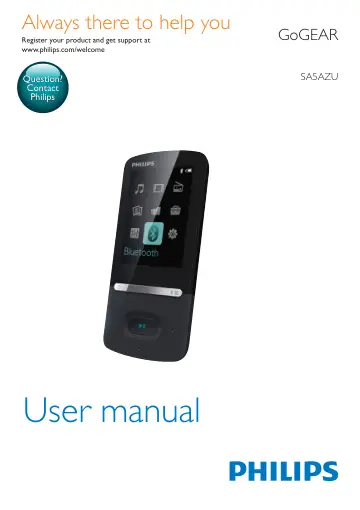
Philips MP4 player SA5AZU04KF/12 user manual
- Type
- User manual
- Language
- English
- Pages
- 34
- Models
- SA5AZUSA5AZU04KF/12
Open PDFOpens the file on objects.icecat.biz.
Contents
- 1 Important safety informationp. 5
General maintenance The translation of this document is for reference only. In the event of any inconsistency between the English version and the translated…
- 2 Your new playerp. 9
What's in the box Make sure that you have received the following items: Player Earphones USB cable USB AC/DC adapter Model no.: SSW-2095UK-3 (UK plug) Model…
- 3 Get startedp. 12
Charge power AZURE has a built-in battery that can be charged through the USB port of a computer or the supplied USB AC/DC adapter. Charge through a computer…
- 4 Musicp. 13
Transfer music to the player You can transfer music from your PC media library to AZURE in the following ways: • Drag and drop music files in Windows Explorer.…
- 5 Bluetoothp. 16
Listen to music through Bluetooth With Bluetooth enabled on AZURE, you can listen to music through Bluetooth headphones or speakers. 1 Switch on Bluetooth on…
- 6 Videosp. 17
Transfer videos to the player You can transfer videos to the player in two ways: • Transfer through Philips Media Converter; With the video converter software…
- 7 Picturesp. 19
Add pictures to the player 1 Connect AZURE to a computer. 2 On the PC, under My Computer or Computer, • select AZURE, and create file folders. 3 On the PC…
- 8 FM radiop. 20
Note • Plug in the supplied earphones when you tune in to radio stations. The earphones double as antenna. For better reception, move the earphone cable in…
- 9 Text readerp. 22
You can read text files (.txt files) on the player. Add text files to the player 1 Connect AZURE to a computer. 2 On the PC, under My Computer or Computer, •…
- 10 Recordingsp. 23
Make recordings With AZURE, you can record: • voices or audio through the built-in microphone; or • radio programs when the radio plays on the player. Record…
- 11 Audiobooksp. 24
Go to > [Audiobooks] to play books in audio formats that you have downloaded from www.audible.com. Sync audio books to the player From www.audible.com…
- 12 Folder viewp. 26
Go to to view and play media files from the media library on the player.
- 13 Settingsp. 27
In , select your options for the player. 1 Press / to select an option. 2 Press to confirm. Sleep timer Switch on the sleep timer. The AZURE can switch off…
- 14 Update the firmware through Philips Device Managerp. 29
Install Philips Device Manager 1 Connect AZURE to a PC. 2 On the PC, select My Computer (Windows XP / Windows 2000) / Computer (Windows Vista / Windows 7 / 8).…
- 15 Troubleshootingp. 31
If AZURE is not working properly or the display freezes, you can reset it without losing data: How do I reset AZURE? • Insert a pen tip or other object into…
- 16 Technical datap. 32