Loading manual…
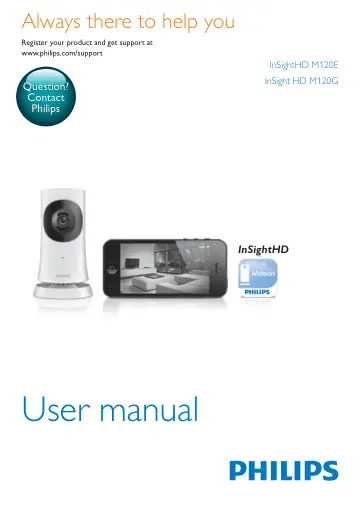
Philips In.Sight wireless HD home monitor M120E/10 user manual
- Type
- User manual
- Language
- English
- Pages
- 32
- Category
- Monitors
- Models
- HNB050150X
Open PDFOpens the file on objects.icecat.biz.
Contents
- 1 Important safety instructionsp. 5
Safety Only use attachments/accessories specified by the manufacturer. Use only power supplies listed in the user manual. The product shall not be exposed to…
- Safetyp. 5
instructions Safety Only use attachments/accessories specified by the manufacturer. Use only power supplies listed in the user manual. The product shall not be…
- Compliancep. 5
- Care of the environmentp. 6
Environmental information All unnecessary packaging has been omitted. We have tried to make the packaging easy to separate into three materials: cardboard…
- Noticep. 7
Disclaimer • If you are on a remote Wi-Fi network or 3G connection, 10 seconds to 15 seconds delay in video and audio streaming to your smartphone can occur.…
- 2 Your new monitorp. 8
Overview a USB connector • for connection with the supplied AC/DC power adapter through a USB cable b Light sensor c IR LED d Camera lens e Microphone f Status…
- Overviewp. 8
a USB connector • for connection with the supplied AC/DC power adapter through a USB cable b Light sensor c IR LED d Camera lens e Microphone f Status LED g…
- Mount on a wallp. 9
- 3 Setupp. 10
Set up your monitor With the Philips InSightHD app, you can watch and listen to your home through your mobile device. 1 Place the monitor as close to your…
- Set up your monitorp. 10
With the Philips InSightHD app, you can watch and listen to your home through your mobile device. 1 Place the monitor as close to your wireless router as…
- Manage your monitorsp. 12
In the Philips InSightHD app. you can add or remove monitors to/ from your account, and share the monitors to your family or friends. Add a monitor 1 On the…
- Change to another accountp. 15
Delete your monitors from current account (see 'Delete a monitor' on page 12). 2 On your mobile device, launch the Philips InSightHD app. Log in to the new…
- Resetp. 16
Wi-Fi connection when: • there are Wi-Fi connection problems with the monitor. Indicator Status of the monitor Slow flashing amber Local Wi-Fi connection lost…
- 4 Usep. 18
Check network connection After successful connection through the Philips InSightHD app, the monitor allows you to watch or listen to your home on your mobile…
- Check network connectionp. 18
After successful connection through the Philips InSightHD app, the monitor allows you to watch or listen to your home on your mobile device through local Wi-Fi…
- Watch live videop. 19
Use the InSightHD app 1 On the Home screen, tap the thumbnail to watch live video.
- Set notificationsp. 22
Motion and sound notifications keep you informed of changes at home. Select the sensitivity level as needed. 1 To set notifications, make sure that the monitor…
- View eventsp. 23
For events that are triggered by motion or sound detection, you can receive push notifications on your mobile device by setting notifications; or • check the…
- 5 Check for updatesp. 26
Check for firmware updates of the monitor • Go to the play screen (see 'Use the InSightHD app' on page 17). Tap / > . Upgrade the monitor online 1 Connect your…
- Check for firmware updates of the monitorp. 26
Go to the play screen (see 'Use the InSightHD app' on page 17). Tap / > . Upgrade the monitor online 1 Connect your mobile device to a Wi-Fi network. 2 Go to…
- Check for updates of the appp. 27
For updates of the Philips InSightHD app, you can receive messages on your mobile device. Follow the onscreen instructions to complete the updating.
- 6 Specificationsp. 28
General information • AC power adapter Model: HNB050150X (X = E, B, A, C, U, J, K, and C) a direct plug-in power adapter with USB output terminal and a…
- General informationp. 28
AC power adapter Model: HNB050150X (X = E, B, A, C, U, J, K, and C) a direct plug-in power adapter with USB output terminal and a different country plug type…
- Lensp. 28
Focus mode Fixed • Viewing angle (diagonal) 102 degrees • Night mode IR LED, 4 meters
- Sensorsp. 28
Ambient light sensor
- Videop. 29
Resolution Streaming through Wi-Fi: 720p (High definition) • Video format H. 264
- Audiop. 29
Input High-sensitive mono microphone • Output power: 0.5 W
- 7 Warrantyp. 30
To get the warranty information about your product, go to www.philips.com/ support.