Loading manual…
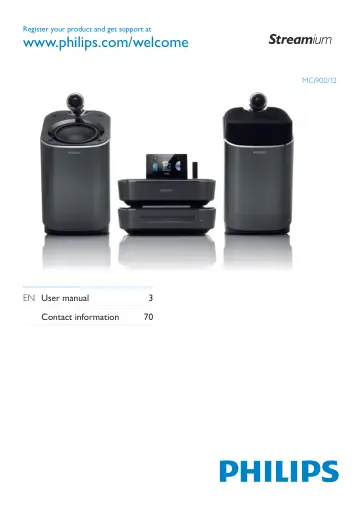
Philips Wi-Fi component Hi-Fi system MCI900/12 user manual
- Type
- User manual
- Language
- English
- Pages
- 108
- Category
- Home cinema
- Models
- MCI900/12
Open PDFOpens the file on objects.icecat.biz.
Contents
- 1 Importantp. 5
Safety Information for Europe: Know these safety symbols The ‘exclamation mark’ calls attention to features for which you should carefully read the supplied…
- 2 Your MCi900p. 9
Congratulations on your purchase, and welcome to Philips! To fully benefit from the support that Philips offers, register your product at…
- 3 Preparep. 19
Connect the HDD to a computer The supplied hard disk drive (HDD) contains the PC/Mac software for MCi900 (Media Browser/TwonkyMedia Server), video tutorial…
- 4 Place the unitp. 21
Place • MCi900 near a TV to use the disc player. For good Wi-Fi reception, place the unit • within the coverage of the router/ Access point (not supplied). To…
- 5 Connectp. 24
Connect the main unit and CD/DVD unit As shown, plug the cable into • DIN IN. Connect speakers Note Always connect the speakers before you • connect MCi900 to…
- 6 First-time setupp. 28
The first time you turn on MCi900, 1 Select the desired language on the screen as prompted. 2 To learn major functions on MCi900, Select • [Yes, show me the…
- 7 Play from home Wi-Fi/wired networkp. 36
Play from the hard disk drive (HDD) Connect the HDD to MCi900 After you have transferred music/picture files from the computer to HDD (see ‘Prepare’ on page…
- 8 Play music CD/movie DVDsp. 48
EN 3 If necessary, press DISC on the remote control, and then, to start play. 4 During disc play, Press • / repeatedly to select a track/chapter. For WMA/MP3…
- 9 Play FM radiop. 52
Tune to FM radio stations Note Before you tune to FM radio stations, ensure • that you have properly installed the supplied FM antenna (see ‘Connect the FM…
- 10 Play from an external audio device (AUX)p. 54
With the AUX IN L / R socket and AUX mode, MCi900 allows you to play an external audio device (e.g. a portable media player) through the speakers of MCi900.…
- 11 Settingsp. 55
Play modes When playing music, you can choose to play repeatedly, play in random order, or play one by one. Select a play mode as desired. To select a play…
- 12 Register MCi900 with Philipsp. 62
Benefits By registering MCi900 on www.philips.com/ welcome, you can Get free software upgrades; • Manage your own favorite radio stations; • Receive Streamium…
- 13 Maintenancep. 64
This chapter tells you how to care for MCi900. Cleaning Note Avoid moisture and abrasion. • 1 Clean MCi900 only with a soft dry cloth.
- 14 Technical datap. 65
General AC Power (Main unit) 230V ±10%, 50Hz (for /12, /05 /79) 120V ±10%, 60Hz (for /37) DC Power (DVD unit) DIN connector (Output provided by Main unit) DC…
- 15 Troubleshootingp. 69
I cannot hear any sound or the sound is poor, what do I do? Press • + VOL - to increase the volume. Press the • MUTE button again to reactivate the sound…
- 16 Contact informationp. 70