Loading manual…
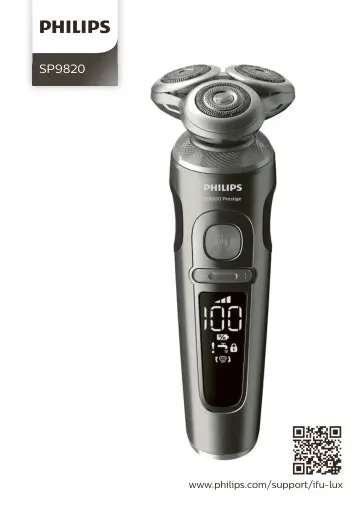
Philips SP9820 user manual
- Type
- User manual
- Language
- English
- Pages
- 136
- Models
- SP9820
Open PDFOpens the file on documents.philips.com.
Contents
- Introductionp. 6
Congratulations on your purchase and welcome to Philips! To fully benefit from the support that Philips offers, register your product at…
- General description (Fig. 1)p. 6
Supply unit 2 Small plug 3 Pouch 4 Socket for small plug 5 Unplug for use symbol 6 Replacement reminder 7 Notification symbol 8 Cleaning reminder 9 Travel lock…
- Important safety informationp. 6
Read this important information carefully before you use the appliance and its accessories and save it for future reference. The accessories supplied may vary…
- The displayp. 9
Note: Remove any sticker or protective foil from the display before using the product. Charging When the shaver is charging, the battery charge indicator on…
- Chargingp. 12
, the notification symbol flashes. When this happens, the shaver automatically stops charging. Charging continues once the temperature of the shaver has…
- Using the shaverp. 13
Always check the shaver and all accessories before use. Do not use the shaver or any accessory if it is damaged, as this may cause injury. Always replace a…
- Using click-on attachmentsp. 16
Removing or attaching click-on attachments 1 Make sure the shaver is switched off. 2 Pull the attachment straight off the shaver. Note: Do not twist the…
- Travel lockp. 17
'). Travel lock You can lock the shaver when you are going to travel to prevent it from switching on accidentally. Activating the travel lock 1 Press the…
- Cleaning and maintenancep. 18
Regular cleaning guarantees better shaving results. Never clean, remove or replace the shaving unit while the shaver is switched on. Do not apply pressure to…
- Replacementp. 22
Replacing the shaving heads For maximum shaving performance, we advise you to replace the shaving heads every two years.Replace damaged shaving heads…
- Storagep. 23
Store the shaver in the pouch. Note: Always let the shaver dry completely before you store it in the pouch
- Ordering accessoriesp. 23
To buy accessories or spare parts, visit www.philips.com/parts-and-accessories or go to your Philips dealer. You can also contact the Philips Consumer Care…
- Recyclingp. 24
This symbol means that this product shall not be disposed of with normal household waste (2012/19/EU). - This symbol means that this product contains a…
- Removing the rechargeable shaver batteryp. 24
Only remove the rechargeable battery when you discard the shaver. Before you remove the battery, make sure that the shaver is disconnected from the wall socket…
- Warranty and supportp. 26
If you need information or support, please visit www.philips.com/support or read the international warranty leaflet. Warranty restrictions The shaving heads…
- Troubleshootingp. 26
This chapter summarizes the most common problems you could encounter with the appliance. If you are unable to solve the problem with the information below…
- Einführungp. 29
Herzlichen Glückwunsch zu Ihrem Kauf und willkommen bei Philips! Um die Unterstützung von Philips optimal nutzen zu können, sollten Sie Ihr Produkt unter…
- Allgemeine Beschreibung (Abb. 1)p. 29
Stromversorgungseinheit 2 Gerätestecker 3 Tasche 4 Buchse für Gerätestecker 5 Symbol "Vor Gebrauch von der Stromversorgung trennen" 6 Ersatzanzeige 7…
- Wichtige Sicherheitsinformationenp. 29
Lesen Sie diese wichtigen Informationen vor dem Gebrauch des Geräts und des Zubehörs 29 Deutsch
- Das Displayp. 33
Hinweis: Entfernen Sie vor der Verwendung des Produkts Aufkleber oder Schutzfolie vom Display. Aufladen Während der Rasierer aufgeladen wird, blinkt dessen…
- Aufladenp. 37
Laden Sie den Rasierer vor dem ersten Gebrauch auf und wenn das Display anzeigt, dass der Akku fast leer ist. Der Ladevorgang dauert ca. 1 Stunde. Mit einem…
- Den Rasierer benutzenp. 37
Überprüfen Sie den Rasierer und sämtliche Zubehörteile vor jeder Nutzung. Verwenden Sie den Rasierer oder irgendwelche Zubehörteile nicht, wenn sie beschädigt…
- Die Aufsätze verwendenp. 41
Aufsteckbare Aufsätze entfernen oder anbringen 1 Achten Sie darauf, dass das Gerät ausgeschaltet ist. 2 Ziehen Sie den Aufsatz gerade vom Rasierer ab. Hinweis…
- Reisesicherungp. 42
Sie können den Rasierer sichern, bevor Sie auf Reisen gehen. Die Reisesperre verhindert, dass der Rasierer versehentlich eingeschaltet wird. Die Reisesicherung…
- Reinigung und Wartungp. 42
Regelmäßiges Reinigen des Geräts sorgt für bessere Rasierergebnisse. Sie dürfen die Schereinheit niemals reinigen, abnehmen oder auswechseln, während der…
- Ersatzp. 47
Die Scherköpfe auswechseln Für eine optimale Rasierleistung empfehlen wir, die Scherköpfe alle zwei Jahre auszuwechseln.Ersetzen Sie beschädigte Scherköpfe…
- Aufbewahrungp. 48
Bewahren Sie den Rasierer in der Tasche auf. Hinweis: Lassen Sie den Rasierer immer vollständig trocknen, bevor Sie ihn in der Tasche verstauen
- Bestellen von Zubehörp. 48
Um Zubehör oder Ersatzteile zu kaufen, besuchen Sie www.philips.com/parts-and-accessories, oder suchen Sie Ihren Philips Händler auf. Sie können sich auch an…
- Recyclingp. 49
Dieses Symbol bedeutet, dass das Produkt nicht mit dem normalen Hausmüll entsorgt werden kann (2012/19/EU). - Dieses Symbol bedeutet, dass das Produkt einen…
- Den Akku aus dem Rasierer entfernenp. 50
Bauen Sie den Akku nur zur Entsorgung des Rasierers aus. Bevor Sie den Akku entfernen, stellen Sie sicher, dass der Rasierer nicht an einer Steckdose…