Loading manual…
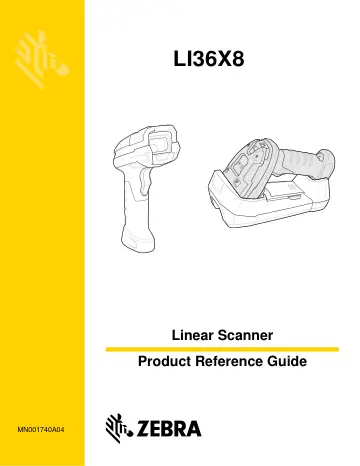
Motorola LI3678-SR (LI3678-SR0F003VZWW) user manual
- Type
- User manual
- Language
- English
- Pages
- 422
- Category
- Scanners
- Models
- LI3678-SR0F003VZWWLI36X8MN001740A04
Open PDFOpens the file on objects.icecat.biz.
Contents
- Warrantyp. 4
For the complete Zebra hardware product warranty statement, go to: http://www.zebra.com/warranty.
- Revision Historyp. 5
Changes to the original guide are listed below: Change Date Description -01 Rev. A 11/2015 Initial release (includes corded LI3608 only). -02 Rev. A 03/2016…
- About This Guidep. 17
Introduction The LI36X8 Product Reference Guide provides general instructions for setting up, operating, maintaining, and troubleshooting the LI3608 corded and…
- Chapter 1 GETTING STARTEDp. 25
Introduction The LI36X8 corded and cordless linear imagers combine excellent scanning performance and advanced ergonomics to provide the best value in a…
- Chapter 2 SCANNINGp. 43
Introduction This chapter provides beeper and LED definitions, scanning techniques, general instructions and tips about scanning, and decode ranges. Beeper and…
- Chapter 3 MAINTENANCE, TROUBLESHOOTING & TECHNICAL SPECIFICATIONSp. 55
Introduction This chapter provides suggested linear imager scanner maintenance, troubleshooting, technical specifications, and signal descriptions (pinouts).…
- Chapter 4 RADIO COMMUNICATIONSp. 67
Introduction This chapter provides information about the modes of operation and features available for wireless communication between the LI3678 cordless…
- Chapter 5 USER PREFERENCES & MISCELLANEOUS SCANNER OPTIONSp. 121
Introduction If desired, program the linear imager scanner to perform various functions, or activate different features. This chapter describes imaging…
- Chapter 6 USB INTERFACEp. 161
Introduction This chapter provides instructions for programming the linear imager to interface with a USB host. The linear imager scanner connects directly to…
- Chapter 7 SSI Interfacep. 181
Introduction This chapter describes the system requirements of the Simple Serial Interface (SSI), which provides a communications link between Symbol…
- Chapter 8 RS-232 INTERFACEp. 205
- Chapter 9 IBM INTERFACEp. 227
- Chapter 10 KEYBOARD WEDGE INTERFACEp. 235
- Chapter 11 SYMBOLOGIESp. 249
Introduction This chapter describes symbology features and provides programming bar codes for selecting these features. Before programming, follow the…
- Chapter 12 123SCAN2p. 325
Introduction 123Scan² is an easy-to-use, PC-based software tool that enables rapid and easy customized setup of Zebra scanners. 123Scan² uses a wizard tool to…
- Chapter 13 ADVANCED DATA FORMATTINGp. 327
Introduction Advanced Data Formatting (ADF) is a means of customizing data before transmission to the host device. Use ADF to edit scan data to suit…
- Appendix A STANDARD DEFAULT PARAMETERSp. 329
NOTE In this guide, the parameter numbers listed are the same as the attribute numbers for these parameters.
- Appendix B Country Codesp. 341
- Appendix C PROGRAMMING REFERENCEp. 359
Symbol Code Identifiers Table C-1 Symbol Code Characters Code Character Code Type A UPC-A, UPC-E, UPC-E1, EAN-8, EAN-13 B Code 39, Code 32 C Codabar D Code…
- Appendix D SAMPLE BAR CODESp. 365
- Appendix E NUMERIC BAR CODESp. 369
Numeric Bar Codes For parameters requiring specific numeric values, scan the appropriately numbered bar code(s). 0 1 2 3
- Appendix F ALPHANUMERIC BAR CODESp. 373
Alphanumeric Keyboard Space # $ %
- Appendix G NON-PARAMETER ATTRIBUTESp. 391
Introduction This appendix defines non-parameter attributes. Attributes Model Number Attribute #533 Model number of the scanner. This electronic output matches…
- Appendix H ASCII CHARACTER SETSp. 397
- Appendix I COMMUNICATION PROTOCOL CAPABILITIESp. 411
Introduction Table I-1 lists the functionality of each cabled communication interface for the LI3608. Table I-1 Communication Interface Functionality…