Loading manual…
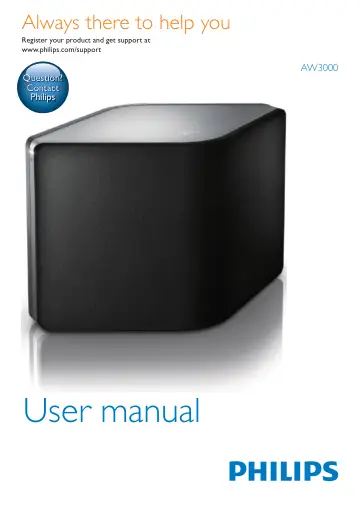
Philips A3 wireless Hi-Fi speaker AW3000/10 user manual
Open PDFOpens the file on objects.icecat.biz.
Contents
- 1 Importantp. 4
Safety Information for Europe: Know these safety symbols The 'exclamation mark' calls attention to features for which you should carefully read the supplied…
- Safetyp. 4
Information for Europe: Know these safety symbols The 'exclamation mark' calls attention to features for which you should carefully read the supplied…
- Noticep. 5
This product complies with the radio interference requirements of the European Community. This product complies with the requirement of the 1999/5/EC…
- 2 Your Wireless Hi-Fi Speakerp. 6
Congratulations on your purchase, and welcome to Philips! To fully benefit from the support that Philips offers, register your product at…
- Introductionp. 6
With this wireless Hi-Fi speaker, you can: • Listen to music sent from a DLNA / UPnP compatible APP. • listen to Internet radio stations or online music…
- What's in the boxp. 6
Check and identify the contents of your package: • Wireless Hi-Fi speaker with built-in Wi-Fi • 1 x AC power adaptor • Quick start guide • Safety sheet
- What else you needp. 6
To stream audio wirelessly to AW3000, you need: • a certified Wi-Fi router • an iOS or Android device, such as an iPod touch/iPhone/iPad; or an Android phone…
- Overview of the main unitp. 7
a +/- • Adjust volume. b Numeric keys (1 to 5) • Tune to a preset Internet radio station. • Numeric key 1: Reset the device. c Power/status indicator/button •…
- 3 Preparep. 8
Always follow the instructions in this chapter in sequence
- Download Philips AirStudio+ Lite to your smartphone or tabletsp. 8
(For iPod touch/iPhone/iPad users) Install Philips AirStudio+ Lite from Apple App Store, and then run the app. (For users of Android smartphones or tablets)…
- Connect power and switch onp. 9
Caution • Risk of product damage! Make sure that the power supply voltage matches the voltage printed on the bottom of the device. • Risk of electric shock!…
- 4 Connect AW3000 to your home Wi-Fi networkp. 11
English EN 4 Connect AW3000 to your home Wi- Fi network To connect AW3000 to your existing home Wi- Fi network, you need to apply your home Wi-Fi settings to…
- Option 1: Set up wireless connection to a non-WPS router through an iOS devicep. 11
' on page 9). Android Non- WPS No Choose option 2 (see 'Option 2: Set up through a non-WPS Wi-Fi router and Android device' on page 12). Either iOS or Android…
- Option 2: Set up through a non-WPS Wi-Fi router and Android devicep. 14
Before setup, make sure that your Android device is connected to your home Wi-Fi network. 2 Select Standard setup and tap Next. 3 Read the Wi-Fi setup…
- Option 3: Set up wireless connection to a WPS routerp. 16
Select Wi-Fi PROTECTED SETUP and tap Next. 2 Read the WPS setup instructions. 3 As instructed, press and hold WI-FI SETUP on the back of AW3000. » » The…
- Option 4: Set up wired connection through an Ethernet cablep. 17
Note • If you use wired connection, you just need to select Speaker already setup on the initial Setup page (see 'Download Philips AirStudio+ Lite to your…
- 5 Playp. 19
English EN Preset Internet radio stations 1 Tune to an Internet radio station and tap . » » A list of preset radio stations appears. 2 Tap a row in the list…
- Listen to Internet radio stations through AW3000p. 19
- Play from an external devicep. 21
English EN 2 Start play on the external audio player and adjust volume. » » You can hear music from the wireless Hi-Fi speaker. 3 Use the controls on your…
- 6 Upgrade firmwarep. 23
English EN 7 Product information Note • Product information is subject to change without prior notice. Specifications Amplifier Rated Output Power 2 X 18 W RMS…
- 7 Product informationp. 24
EN 8 Troubleshooting Warning • Never remove the casing of this apparatus. To keep the warranty valid, never try to repair the system yourself. If you encounter…
- Specificationsp. 24
- 8 Troubleshootingp. 25
English EN 1 Unplug the power cord. 2 Hold the numeric key 1 and plug the power cord again. » » The power/status indicator flashes amber, then turns solid…
- 9 Appendix 1: Mount the device onto wallp. 27
English EN 10 Appendix 2: Understand meanings of LED colors LED color Meaning Blinking amber The speaker is booting up or firmware upgrade is in progress.…