Loading manual…
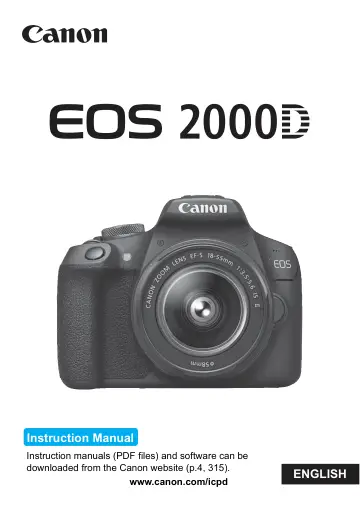
Canon EOS 2000D BK BODY EU26 (2728C001) user manual
- Type
- User manual
- Language
- English
- Pages
- 326
- Category
- Cameras & lenses
- Models
- 2728C001
Open PDFOpens the file on objects.icecat.biz.
Contents
- EOS 2000Dp. 1
Instruction manuals (PDF files) and software can be downloaded from the Canon website (p.4, 315). www.canon.com/icpd Instruction Manual ENGLISH
- Introductionp. 2
- Getting Startedp. 33
This chapter explains preparatory steps before you start shooting and basic camera operations. Attaching the Strap Pass the end of the strap through the…
- Basic Shooting and Image Playbackp. 57
This chapter explains how to use the Basic Zone modes on the Mode Dial for best results and how to play back images. With Basic Zone modes, all you do is point…
- Creative Shootingp. 85
In the Basic Zone modes, to prevent spoiled shots, most advanced functions are set automatically and cannot be changed. In the <d> (Program AE) mode, you can…
- Advanced Shootingp. 107
This chapter builds on Chapter 3 and introduces more ways to shoot creatively. The first half of this chapter explains how to use the <s>, <f>, and <a> modes…
- Shooting with the LCD Monitor (Live View Shooting)p. 139
You can shoot while viewing the picture on the camera’s LCD monitor. This is called “Live View shooting”. Live View shooting is effective for still subjects…
- Shooting Moviesp. 159
Movie shooting is enabled by setting the Mode Dial to <k>. The movie recording format will be MOV. For cards that can record movies, see page 5. Full HD 1080…
- Handy Featuresp. 183
Disabling the Beeper (p.184) Card Reminder (p.184) Setting the Image Review Time (p.184) Setting the Auto Power-off Time (p.185) Adjusting the LCD Monitor…
- Image Playbackp. 207
This chapter explains functions related to viewing photos and movies, with more advanced uses than in Chapter 2 “Basic Shooting and Image Playback”. Here you…
- Post-Processing Imagesp. 235
After taking a picture, you can apply a Creative filter or resize the JPEG image (reduce the number of pixels). The camera may not be able to process images…
- Printing Imagesp. 241
Printing (p.242) You can connect the camera directly to a printer and print out the images on the card. The camera is compliant with “wPictBridge”, which is…
- Customizing the Camerap. 257
You can make fine adjustments to various camera functions to suit your picture-taking preferences with Custom Functions. Custom Functions can be set and used…
- Referencep. 269
This chapter provides reference information for camera features, system accessories, etc. Certification Logo Under the [53] tab, if you select [Certification…
- Software Start Guide / Downloading Images to a Computerp. 313
This chapter explains the following: Overview of the software for EOS cameras How to download and install the software on a computer How to download and…