Loading manual…
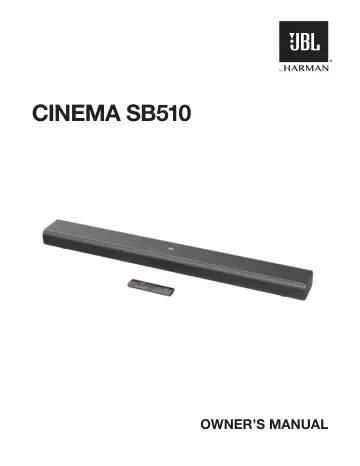
JBL Cinema SB510 (JBLSB510BLKEP) user manual
- Type
- User manual
- Language
- English
- Pages
- 15
- Category
- Soundbars
- Models
- JBLSB510BLKEPSB510
Open PDFOpens the file on objects.icecat.biz.
Contents
- IMPORTANT SAFETY INSTRUCTIONSp. 2
Verify Line Voltage Before Use The JBL CINEMA BAR SB510 (soundbar) has been designed for use with 100-240 volt, 50/60 Hz AC current. Connection to a line…
- 1. INTRODUCTIONp. 4
Thank you for purchasing the JBL CINEMA BAR SB510 (soundbar) which is designed to bring an extraordinary sound experience to your home entertainment system. We…
- 2. WHAT’S IN THE BOXp. 5
Unpack the box carefully and ensure that the following parts are included. If any part is damaged or missing, do not use it and contact your retailer or…
- 3. PRODUCT OVERVIEWp. 6
3.1 Controls and indicators 1 3 4 2 1. (Power) • Switch on or to standby. 2. -/+ (Volume) • Press to decrease or increase the volume. • Hold to decrease or…
- 3.1 Controls and indicatorsp. 6
3 4 2 1. (Power) • Switch on or to standby. 2. -/+ (Volume) • Press to decrease or increase the volume. • Hold to decrease or increase the volume continuously.…
- 3.2 Connectorsp. 6
- 3.3 Remote controlp. 6
5 6 1 3 2 1. • Switch on or to standby. 2. Source selectors TV • Select the TV source (automatically switches to eARC/ ARC or Optical source when the HDMI /…
- 4. PLACEMENTp. 7
4.1 Desktop placement Place the soundbar on a flat and stable surface. 2.5-3.0 m / 8.2-9.8 ft NOTES: – The power cord shall be properly connected to power. –…
- 4.1 Desktop placementp. 7
Place the soundbar on a flat and stable surface. 2.5-3.0 m / 8.2-9.8 ft NOTES: – The power cord shall be properly connected to power. – Do not place any…
- 4.2 Wall-mountingp. 7
mm / 34.65" 5 5 2 1 3 4 ≤8mm/0.31" 4mm/0.16" ≥33.5mm/1.32" 1. Preparation: a) Stick the supplied wall-mounting template to a wall by using adhesive tapes. b)…
- 5. CONNECTp. 8
5.1 TV connection Connect the soundbar with your TV through the supplied HDMI cable or an optical cable (sold separately). 5.1.1 Through the supplied HDMI…
- 5.1 TV connectionp. 8
Connect the soundbar with your TV through the supplied HDMI cable or an optical cable (sold separately). 5.1.1 Through the supplied HDMI cable An HDMI…
- 5.2 Bluetooth connectionp. 9
Through Bluetooth, connect the soundbar with your Bluetooth device, such as a smartphone, tablet and laptop. < 10 m / 33 ft Settings Bluetooth Bluetooth…
- 6. PLAYp. 10
6.1 Power-on/Auto standby/Auto wakeup 2 1 3 Switch on 1. Connect the soundbar to power by using the supplied power cord. 2. To switch on, press on the soundbar…
- 6.1 Power-on/Auto standby/Auto wakeupp. 10
1 3 Switch on 1. Connect the soundbar to power by using the supplied power cord. 2. To switch on, press on the soundbar or on the remote control. NOTES: – Use…
- 6.2 Play from the TV sourcep. 10
With the soundbar connected, you can enjoy TV audio from the soundbar speakers. 1. Make sure that your TV is set to support external speakers and the built-in…
- 6.3 Play from the Bluetooth sourcep. 11
Through Bluetooth, stream audio from your Bluetooth device to the soundbar. < 10 m / 33 ft 1. Check that the soundbar has been properly connected to your…
- 7. SOUND SETTINGSp. 12
7.1 Pre-defined EQ settings With the remote control, select the pre-defined EQ (equalizer) effects to suit your video or music. x 2 x 2 x 2 • : sound mode for…
- 7.1 Pre-defined EQ settingsp. 12
With the remote control, select the pre-defined EQ (equalizer) effects to suit your video or music. x 2 x 2 x 2 • : sound mode for movies →The status indicator…
- 7.2 Bass adjustmentp. 12
You can make bass adjustment as needed. Level 3 x 3 Level 4 x 4 Level 2 x 2 Level 5 x 5 Level 1 x 1 • On the remote control, press to toggle between bass…
- 8. RESTORE FACTORY SETTINGSp. 12
> 10S 1. Press to switch on. 2. Hold and on the soundbar for more than 10 seconds to restore factory settings. →All your personalized settings will be removed…
- 9. PRODUCT SPECIFICATIONSp. 13
- 10. TROUBLESHOOTINGp. 13
Never try to repair the product yourself. If you have problems using this product, check the following before you request services. System The unit will not…
- 11. TRADEMARKSp. 14
The Bluetooth® word mark and logos are registered trademarks owned by Bluetooth SIG, Inc. and any use of such marks by HARMAN International Industries…