Loading manual…
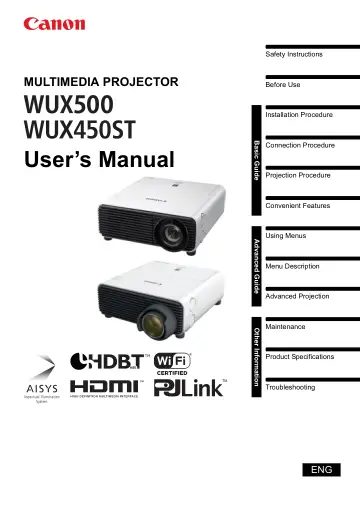
Canon WUX450 (1204C003) user manual
Open PDFOpens the file on objects.icecat.biz.
Contents
- How to Use This Manualp. 2
Thank you for purchasing a Canon projector. The WUX500/WUX450ST Multimedia Projector (hereinafter referred to as “the projector”) is a high-performance…
- Projector Highlightsp. 5
Minimal Space Needed for Installation Compact body can be installed with minimal space requirements. (P184) High-Resolution LCOS Projection Projection at…
- Safety Instructionsp. 7
Before installing and operating the projector, read this manual thoroughly. This projector provides many convenient features and functions. Operating the…
- For Safe Usep. 21
Pay attention to the following points when carrying or transporting the projector. • This projector is a precision instrument. Do not knock it over or subject…
- Before Installationp. 22
Precautions When Carrying/Shipping the Projector Precautions for Installation Be sure to read “Safety Instructions” and “For Safe Use” (P7 – P21). Also take…
- Open Source Softwarep. 27
The product contains Open Source Software modules. For details, see “ThirdPartySoftware.pdf” (Third-Party Software License) in the OpenSourceSoftware folder in…
- Before Usep. 28
Included Accessories Before use, make sure the following items are included in the package. WUX500 WUX450ST • Remote control • Batteries for the remote control…
- Basic Guidep. 41
Installation Procedure Connection Procedure Projection Procedure Convenient Features Advanced Guide Using Menus Menu Description Advanced Projection Other…
- Installation Procedurep. 42
Before setting up the projector, be sure to read “Before Installation” (P22). Setting Up the Projector •Positioning the Projector in Front of the Screen Place…
- Connection Procedurep. 48
Connecting a Computer Before connecting the projector to other equipment, turn off both the projector and the other equipment. Amplified speakers Mini jack RCA…
- Projection Procedurep. 52
Step 1 Turn the Projector On 1 Check the connection between the projector and the computer or AV equipment. (P48 - P50) For instructions on connecting the…
- Convenient Featuresp. 69
This section describes features convenient during presentations and in other situations. Temporarily Blacking Out an Image Projection can be temporarily…
- Advanced Guidep. 71
Using Menus Menu Description Advanced Projection Other Information Maintenance Product Specifications Troubleshooting Advanced Guide
- Using Menusp. 72
Use the menus to set the operation of the projector in detail. Menu Configuration The menu screen is divided into 6 tabs as shown below. [System settings] tab…
- Menu Descriptionp. 75
Input settings This section describes settings for aspect ratio, resolution, and projection from a USB flash drive. (When the input signal is Analog PC-1)…
- Advanced Projectionp. 149
Projecting Images on a USB Flash Drive JPEG images stored on a USB flash drive connected to the projector can be projected as follows. Individual images can be…
- Other Informationp. 165
Maintenance Product Specifications Troubleshooting Other Information
- Maintenancep. 166
Cleaning the Projector Clean the projector frequently to prevent dust from settling on the surface. A dirty lens may ruin the quality of the projected image.…
- Product Specificationsp. 174
Relationship between Aspect and Screen Aspect This section describes the relationship between screen aspect (P60) and aspect (P62). Select an optimum aspect…
- Troubleshootingp. 188
LED Indicator Details When there is a problem with the projector, the LED indicator on the side of the projector illuminates or flashes continuously after the…
- Optionp. 197
Lamp Part No.: RS-LP08 • Ceiling attachment Part No.: RS-CL14 (WUX500) • Ceiling attachment Part No.: RS-CL16 (WUX450ST) • Ceiling-mount pipe (400 - 600 mm /…