Loading manual…
Philips HX3601 user manual
- Type
- User manual
- Languages
- English, French
- Pages
- 122
- Category
- Electric toothbrushes
- Models
- HX3601
Open PDFOpens the file on documents.philips.com.
Contents
- Introductionp. 6
Congratulations on your purchase and welcome to Philips! To fully benefit from the support that Philips offers, register your product at…
- Important safety informationp. 6
Only use the product for its intended purpose. Read this information carefully before you use the product and its batteries and accessories, and save it for…
- Intended usep. 8
Sonicare for Kids - Design a Pet Edition power toothbrushes are intended to remove adherent plaque and food debris from the teeth to reduce tooth decay and…
- Your Philips Sonicare (Fig 1.)p. 9
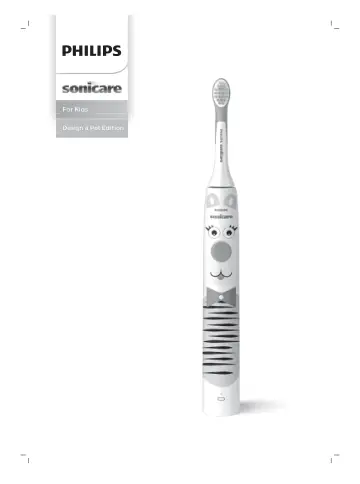
1 Handle 2 Power on/off button 3 Battery indicator Accessories 4 Brush head cap 5 Brush head 6 USB charger (wall adapter not included) 7 Stickers 8 Travel case…
- Getting startedp. 9
Sonicare for Kids App Download the Sonicare for Kids App to support healthy habit building. The App is compatible with wide range of iOS and Android (TM) smart…
- Using your Philips Sonicare toothbrushp. 10
If you are using your Sonicare toothbrush for the first time, it is normal to feel more vibration than when using a non-electric toothbrush. It is common for…
- Intensitiesp. 12
Your power toothbrush is equipped with 2 different intensities: gentle and extra gentle. Note: When you use the toothbrush for the first time, the default…
- Featuresp. 13
KidPacer - SmarTimer - EasyStart KidPacer The KidPacer is an interval timer that helps your child to brush evenly through the mouth by dividing your mouth into…
- Activating or deactivating featuresp. 13
'). Activating or deactivating features You can activate or deactivate the following features of your toothbrush: - EasyStart
- Charging and battery statusp. 14
This Philips Sonicare toothbrush is designed to provide at least 28 brushing sessions, each session lasting 2 minutes (14 days if used twice per day) on a…
- Cleaningp. 16
Toothbrush handle 1 Remove the brush head and rinse the metal shaft area with warm water. Make sure you remove any residual toothpaste. Caution: Do not push on…
- Storagep. 17
If you are not going to use the product for an extended period of time, unplug it from the electrical outlet, clean it and store it in a cool and dry place…
- Replacementp. 17
Replace Philips Sonicare brush heads every 3 months to achieve optimal results. Only use Sonicare for Kids Compact or Standard replacement brush heads.…
- Locating the model numberp. 17
The model number begins with “HX” (e.g. HX123A) and can be found on the bottom of your toothbrush. Troubleshooting This chapter summarizes the most common…
- Troubleshootingp. 17
This chapter summarizes the most common problems you could encounter with the appliance. If you are unable to solve the problem with the information below…
- Warranty and supportp. 18
If you need information or support, please visit www.philips.com/support or read the international warranty leaflet. Warranty exclusions What is not covered…
- Recyclingp. 19
This symbol means that electrical products and batteries shall not be disposed of with normal household waste. - Follow your country’s rules for the separate…
- Removing the rechargeable batteryp. 19
The built-in rechargeable battery must be removed by a qualified professional when the product is discarded. Before removing the battery, make sure that the…
- Introductionp. 22
Félicitations pour votre achat et bienvenue dans l'univers Philips ! Pour profiter pleinement de l'assistance offerte par Philips, enregistrez votre produit à…
- Informations de sécurité importantesp. 22
N’utilisez le produit que pour l’usage auquel il est destiné. Lisez attentivement ces renseignements avant d’utiliser le produit, sa batterie et ses…
- Usage prévup. 25
Les brosses à dents électriques Sonicare for Kids - Design a Pet Edition éliminent la plaque dentaire et les résidus alimentaires pour prévenir les caries, et…
- Votre Philips Sonicare (Fig. 1)p. 25
1 Manche 2 Bouton marche/arrêt 3 Indicateur de charge Accessoires 4 Capuchon de tête de brosse 5 Tête de brosse 6 Chargeur USB (adaptateur mural non fourni)
- Préparationp. 26
Application Sonicare for Kids Téléchargez l’application Sonicare for Kids pour adopter des habitudes saines dès le plus jeune âge. L’application est compatible…
- Utilisation de votre brosse à dents Philips Sonicarep. 27
Si vous utilisez votre brosse à dents Philips Sonicare pour la première fois, il est normal de ressentir plus de vibrations qu’avec une brosse à dents…
- Intensitésp. 29
Votre brosse à dents électrique propose deux intensités différentes : Douce et très douce. Remarque : Lorsque vous utilisez la brosse à dents pour la première…
- Caractéristiquesp. 30
KidPacer - SmarTimer - EasyStart KidPacer Le KidPacer est un minuteur à intervalles qui aide votre enfant à se brosser les dents de manière uniforme en…
- Activation ou désactivation de fonctionnalitésp. 31
Vous pouvez activer ou désactiver les fonctionnalités suivantes de votre brosse à dents : - EasyStart Étape 1 : Placez le manche sur le chargeur. Étape 2 …
- Charge et niveau de la batteriep. 31
Cette brosse à dents Philips Sonicare est conçue pour fournir au moins 28 sessions de brossage de 2 minutes chacune (14 jours si elle est utilisée deux fois…
- Nettoyagep. 33
Manche de la brosse à dents 1 Retirez la tête de brosse et rincez à l’eau tiède la zone de l'axe en métal. Veillez à éliminer tous les résidus de dentifrice.…
- Rangementp. 34
Si vous ne comptez pas utiliser l’appareil pendant une période prolongée, débranchez-le de la prise électrique, nettoyez-le et rangez-le dans un endroit frais…