Loading manual…
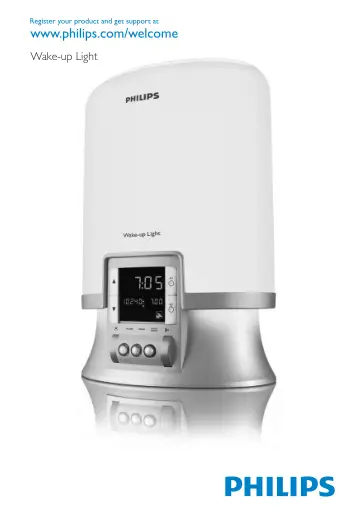
Philips HF3462 user manual
Open PDFOpens the file on documents.philips.com.
Contents
- Introductionp. 6
Congratulations on your purchase and welcome to Philips! To fully benefit from the support that Philips offers, register your product at…
- Light and the biological clockp. 6
Exposure to light regulates the biological clock that controls the body’s circadian rhythms. The melatonin level rises in the evening, preparing our body for…
- The effects of dawn simulationp. 6
The Philips Wake-up Light gently prepares your body for waking up during the last half hour of sleep. In the early morning hours our eyes are more sensitive to…
- General description (Fig. 1)p. 6
A Base B Vents C Lamp housing D Top control panel 1 SNOOZE/SCREEN BRIGHTNESS CONTROL button 2 @& button (light on/off) 3 3 button (light and sound on/off) 4 #…
- Importantp. 7
Read this user manual carefully before you use the appliance and save it for future reference. This appliance is double insulated according to Class II (Fig.…
- Electromagnetic fields (EMF)p. 8
This Philips appliance complies with all standards regarding electromagnetic fields (EMF). If handled properly and according to the instructions in this user…
- Preparing for usep. 8
Installation 1 Before first use, open the hatch in the back of the appliance (see chapter ‘Replacement’) and screw the lamp into the lamp holder. 2 Place the…
- Installationp. 8
1 Before first use, open the hatch in the back of the appliance (see chapter ‘Replacement’) and screw the lamp into the lamp holder. 2 Place the appliance at…
- Setting the clock timep. 8
1 Use the ^ and the % buttons to set the time. 2 Hold the button down longer to put the time forward or backward more quickly. - - - - - - - - - , English 8
- Using the appliancep. 9
Setting the alarm When you set the alarm, you choose the light intensity level, the type of sound and the sound level. The alarm is set when the light ring…
- Setting the alarmp. 9
When you set the alarm, you choose the light intensity level, the type of sound and the sound level. The alarm is set when the light ring round the ALARM…
- Switching the alarm on or offp. 10
The light ring round the ALARM button burns when the alarm is on. At the set time, the wake-up sound is played and the lamp has reached the selected light…
- Adjusting the brightness of the displayp. 10
1 Press the SNOOZE/SCREEN BRIGHTNESS CONTROL button to adjust the brightness of the display (Fig. 20). , , , , English 10
- 3 buttonp. 11
1 When the alarm goes off at the set wake-up time, press the 3 button to switch off the wake-up alarm light and sound. Note: The alarm function remains active…
- Reading lampp. 11
and/or the radio, press the 3 button to switch off the reading lamp and/or the radio. When you press the 3 button again, only the light goes on. Note: When the…
- Radio (HF3462/HF3461 only)p. 11
1 Press the RADIO button to switch on the radio (Fig. 22). The light ring round the button goes on (Fig. 23). 2 Use the % and the ^ buttons to select the…
- Power failurep. 11
To make sure the alarm goes off at the set time after a short power failure, the appliance has been provided with a backup system. This system has a…
- Resetp. 11
1 If the appliance does not respond well, remove the plug from the wall socket and then reinsert it. If this does not help, press the reset button on the…
- Cleaning and maintenancep. 11
Always unplug the appliance and let it cool down for approx. 15 minutes before you start cleaning it. , , , English 11
- Replacementp. 12
hatch by first pushing the rib at the bottom inwards and then upwards with some force (Fig. 26). Tilt the lamp replacement hatch outwards as far as it goes…
- Replacing the lampp. 12
1 Unplug the appliance. 2 Let the appliance cool down for approx. 15 minutes. 3 Open the lamp replacement hatch by first pushing the rib at the bottom inwards…
- Environmentp. 12
Do not throw away the appliance with the normal household waste at the end of its life, but hand it in at an official collection point for recycling. By doing…
- Guarantee and servicep. 12
If you need service or information or if you have a problem, please visit the Philips website at www.philips.com or contact the Philips Customer Care Centre in…
- Guarantee restrictionsp. 12
The international guarantee does not cover the lamp. , , , - English 12
- Specificationsp. 12
- Frequently asked questionsp. 13
Question Answer Why does the appliance not work? Perhaps you have not inserted the plug properly into the wall socket. Put the plug properly into the wall…