Loading manual…
Philips HF3490 user manual
- Type
- User manual
- Languages
- English, German
- Pages
- 124
- Category
- Lighting
- Models
- HF3490
Open PDFOpens the file on documents.philips.com.
Contents
- Introductionp. 6
Congratulations on your purchase and welcome to Philips! To fully benefit from the support that Philips offers, register your product at…
- The effects of the Wake-up Lightp. 6
The Philips Wake-up Light gently prepares your body for waking up during the last half hour of sleep. In the early morning hours our eyes are more sensitive to…
- General description (Fig. 1)p. 6
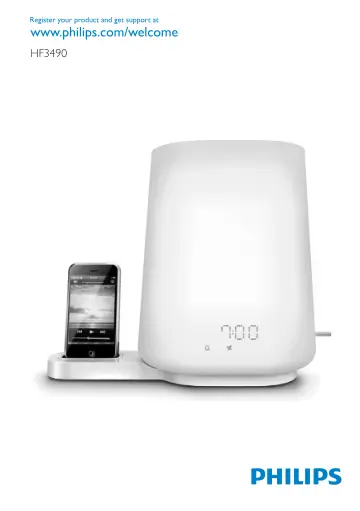
A Vents B Lamp housing C Mains cord D Antenna E Display 1 Light symbol 2 Hour indication of clock time/alarm time 3 Clock time symbol 4 Alarm symbol 5 iPod…
- Importantp. 7
Read this user manual carefully before you use the appliance and save it for future reference. -- This appliance is double insulated according to Class II…
- Electromagnetic fields (EMF)p. 7
This Philips appliance complies with all standards regarding electromagnetic fields (EMF). If handled properly and according to the instructions in this user…
- Preparing for usep. 8
Installing the appliance Note: You can also use the Wake-up Light without the base. You only have to install the base when you want to use the Wake-up Light in…
- Installing the appliancep. 8
Note: You can also use the Wake-up Light without the base. You only have to install the base when you want to use the Wake-up Light in combination with your…
- Setting the clockp. 8
1 Move the middle function selector (SET) up or down to select the hour. Note: You can only do this when you are in the set clock menu and when the hour…
- Using the appliancep. 8
’. Using the appliance How to use the 3 function selectors The control panel has three function selectors. With these selectors you can set all functions of…
- How to use the 3 function selectorsp. 8
The control panel has three function selectors. With these selectors you can set all functions of the appliance. Note: If you do not operate the function…
- Menu functions of middle function selector (SET)p. 9
Below you find a description of all functions that can be set in the menu. These functions appear in the menu in the following order: -- Clock time -- Alarm…
- Using the lampp. 9
You can use the appliance as a bedside lamp. 1 To switch on the lamp, press the top function selector (1). Then move the top function selector up or down to…
- Setting the alarmp. 9
When you set the alarm, you choose an alarm time and the type of sound you want to wake up to. The alarm is set when the alarm symbol is visible on the…
- Radio/volumep. 11
1 To switch on the radio, press the bottom function selector. (Fig. 22) 2 To select the desired radio frequency, move the middle function selector (SET) up or…
- Using your iPod/iPhone with the Wake-up Lightp. 11
With the base, you can use the Wake-up Light as a speaker for your iPod/iPhone. When you put the iPod/iPhone in the iPod/iPhone station, the iPod/iPhone is…
- Dusk functionp. 12
You can use the dusk function when you want the light and/or the sound of the Wake-up Light to stay on and dim gradually during a set period of time (15…
- Cleaning and maintenancep. 12
Never use scouring pads, abrasive cleaning agents or aggressive liquids such as petrol or acetone to clean the appliance. Regularly remove dust from the…
- Replacementp. 12
- Environmentp. 12
- Guarantee and servicep. 13
If you need service or information or if you have a problem, please visit the Philips website at www.philips.com or contact the Philips Consumer Care Centre in…
- Guarantee restrictionsp. 13
For safety reasons, the lamp of this appliance cannot be replaced. If the appliance or the lamp does not work, please visit the Philips website at…
- Troubleshootingp. 13
This chapter summarises the most common problems you could encounter with the appliance. If you are unable to solve the problem with the information below…