Loading manual…
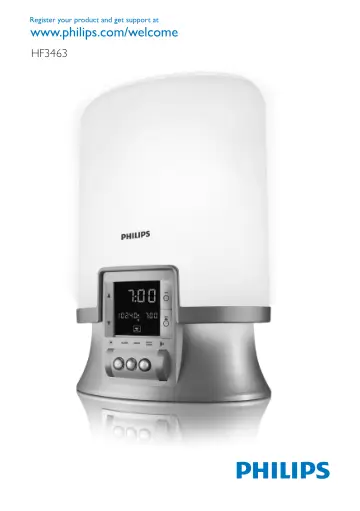
Philips HF3463 user manual
- Type
- User manual
- Languages
- English, German
- Pages
- 136
- Category
- Lighting
- Models
- HF3463
Open PDFOpens the file on documents.philips.com.
Contents
- Introductionp. 6
Congratulations on your purchase and welcome to Philips! To fully benefit from the support that Philips offers, register your product at…
- Light and the biological clockp. 6
Exposure to light regulates the biological clock that controls the body’s sleep-wake rhythm. The level of the hormone melatonin rises in the evening, preparing…
- The effects of the Wake-up Lightp. 6
The Philips Wake-up Light gently prepares your body for waking up during the last half hour of sleep. In the early morning hours our eyes are more sensitive to…
- General description (Fig. 1)p. 6
A Base B Vents C Lamp housing D Top control panel 1 SNOOZE/SCREEN BRIGHTNESS CONTROL button 2 @& button (light on/off) 3 3 button (light and sound on/off) 4 #…
- Importantp. 7
Read this user manual carefully before you use the appliance and save it for future reference. This appliance is double insulated according to Class II (Fig.…
- Electromagnetic fields (EMF)p. 8
This Philips appliance complies with all standards regarding electromagnetic fields (EMF). If handled properly and according to the instructions in this user…
- Preparing for usep. 8
Screw the lamp into the appliance before you use the appliance for the first time. Installation 1 Before first use, open the hatch in the back of the appliance…
- Installationp. 8
1 Before first use, open the hatch in the back of the appliance (see chapter ‘Replacement’) and screw the lamp into the lamp holder. Note: You find the lamp in…
- Setting the clock timep. 8
1 Use the ^ and the % buttons to set the time. 2 Hold the button down longer to put the time forward or backward more quickly. Note: After you have set the…
- Using the appliancep. 9
Setting the alarm When you set the alarm, you choose the light intensity level, the type of sound and the sound level. The alarm is set when the light ring…
- Setting the alarmp. 9
When you set the alarm, you choose the light intensity level, the type of sound and the sound level. The alarm is set when the light ring round the ALARM…
- Switching the alarm on or offp. 10
The light ring round the ALARM button is on when the alarm is on. At the set time, the wake-up sound is played and the lamp has reached the selected light…
- Adjusting the brightness of the displayp. 10
1 Press the SNOOZE/SCREEN BRIGHTNESS CONTROL button to adjust the brightness of the display (Fig. 22). Press the button again to set the brightness to another…
- 3 buttonp. 10
to switch off the light and the wake-up sound. (Fig. 19) The light ring round the ALARM button continues to burn. The alarm function is still active and the…
- Reading lampp. 11
and/or the radio, press the 3 button to switch off the reading lamp and/or the radio. When you press the 3 button again, only the light goes on. Note: When the…
- Radiop. 11
, press the 3 button to switch off the reading lamp and/or the radio. When you press the 3 button again, only the light goes on. Note: When the alarm function…
- Power failurep. 11
To make sure the alarm goes off at the set time after a short power failure, the appliance has been provided with a backup system. This system has a…
- Resetp. 11
1 If the appliance does not respond well, remove the plug from the wall socket and then reinsert it. If this does not help, press the reset button on the…
- Cleaning and maintenancep. 11
Always unplug the appliance and let it cool down for approx. 15 minutes before you start cleaning it. Never use scouring pads, abrasive cleaning agents or…
- Replacementp. 12
hatch by first pushing the rib at the bottom inwards (1) and then upwards with some force (2) (Fig. 28). Tilt the lamp replacement hatch outwards as far as it…
- Replacing the lampp. 12
1 Unplug the appliance. 2 Let the appliance cool down for approx. 15 minutes. 3 To open the lamp replacement hatch, first push the rib at the bottom inwards…
- Environmentp. 12
Do not throw away the appliance with the normal household waste at the end of its life, but hand it in at an official collection point for recycling. By doing…
- Guarantee and servicep. 12
If you need service or information or if you have a problem, please visit the Philips website at www.philips.com or contact the Philips Consumer Care Centre in…
- Guarantee restrictionsp. 12
The international guarantee does not cover the lamp. , , , - English 12
- Specificationsp. 12
- Troubleshootingp. 13
This chapter summarises the most common problems you could encounter with the appliance. If you are unable to solve the problem with the information below…