Loading manual…
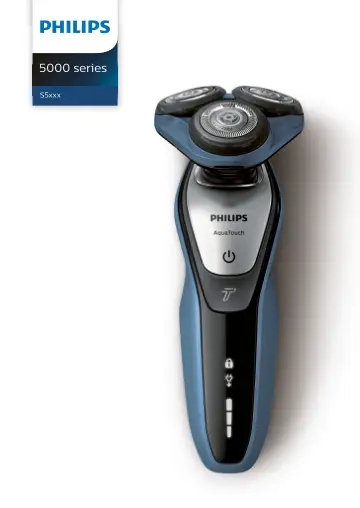
Philips wet and dry electric shaver with SmartClean S5572/10 user manual
- Type
- User manual
- Language
- English
- Pages
- 80
- Category
- Ovens & ranges
- Models
- HQ8505
Open PDFOpens the file on objects.icecat.biz.
Contents
- Introductionp. 4
Congratulations on your purchase and welcome to Philips! To fully benefit from the support that Philips offers, register your product at www.philips.com/welcome
- Important safety informationp. 4
Read this important information carefully before you use the appliance and its accessories and save it for future reference. The accessories supplied may vary…
- The displayp. 10
Battery charge indicator Note: If you press the on/off button during charging, the 'unplug for use' symbol flashes white to remind you that you have to…
- Chargingp. 13
Charge the shaver before you use it for the first time and when the display indicates that the battery is almost empty. Charging takes approx. 1 hour. 15…
- Using the appliancep. 15
Note: This appliance can only be used without cord. Switching the appliance on and off 1 To switch on the appliance, press the on/off button once. 2 To switch…
- Cleaning and maintenancep. 24
Note: The accessories supplied may vary for different products. The box shows the accessories that have been supplied with your product. Cleaning the shaver in…
- Storagep. 31
We advise you to let the appliance and its attachments dry before you put the protection caps on the attachments or store the shaver in the pouch. Note: The…
- Replacementp. 32
Replacing the shaving heads 2yrs For maximum shaving performance, we advise you to replace the shaving heads every two years. Replace damaged shaving heads…
- Ordering accessoriesp. 34
'). Ordering accessories To buy accessories or spare parts, visit www.philips.com/parts-and-accessories or go to 36 English
- Recyclingp. 35
This symbol means that this product shall not be disposed of with normal household waste (2012/19/EU). - This symbol means that this product contains a…
- Warranty and supportp. 36
If you need information or support, please visit www.philips.com/support or read the international warranty leaflet. Warranty restrictions The shaving heads…
- Troubleshootingp. 36
This chapter summarizes the most common problems you could encounter with the appliance. 38 English
- Einführungp. 40
Herzlichen Glückwunsch zu Ihrem Kauf und willkommen bei Philips! Um die Unterstützung von Philips optimal nutzen zu können, sollten Sie Ihr Produkt unter…
- Wichtige Sicherheitsinformationenp. 40
Lesen Sie diese wichtigen Informationen vor dem Gebrauch des Geräts und des Zubehörs aufmerksam durch, und bewahren Sie sie für eine spätere Verwendung auf.…
- Das Displayp. 46
Laden Hinweis: Wenn Sie den Ein-/Ausschalter während des Ladevorgangs drücken, blinkt das Symbol "Vor Gebrauch von der Stromversorgung trennen" weiß, um Sie…
- Aufladenp. 50
Laden Sie den Rasierer vor dem ersten Gebrauch auf und wenn das Display anzeigt, dass der Akku fast leer ist. Der Ladevorgang dauert ca. 1 Stunde. Hinweis: Sie…
- Das Gerät benutzenp. 52
Hinweis: Dieses Gerät kann nur ohne Kabel verwendet werden. Das Gerät einund ausschalten 1 Um das Gerät einzuschalten, drücken Sie einmal den Ein-/Ausschalter.…
- Reinigung und Wartungp. 61
'). Reinigung und Wartung Das mitgelieferte Zubehör kann für verschiedene Produkte variieren. Die Verpackung zeigt das Zubehör, das mit Ihrem Produkt…
- Aufbewahrungp. 69
Wir empfehlen Ihnen zu warten, bis das Gerät und die Aufsätze trocken sind, bevor Sie die Schutzkappen auf die Aufsätze setzen oder den Rasierer in der…
- Ersatzp. 70
Die Scherköpfe auswechseln 2yrs Für eine optimale Rasierleistung empfehlen wir, die Scherköpfe alle zwei Jahre auszuwechseln. Ersetzen Sie beschädigte…
- Bestellen von Zubehörp. 72
') ersetzt werden. Bestellen von Zubehör Um Zubehör oder Ersatzteile zu kaufen, besuchen Sie www.philips.com/parts-and-accessories, oder 74 Deutsch
- Recyclingp. 73
Dieses Symbol bedeutet, dass das Produkt nicht mit dem normalen Hausmüll entsorgt werden kann (2012/19/EU). - Dieses Symbol bedeutet, dass das Produkt einen…
- Garantie und Supportp. 75
Für Unterstützung und weitere Informationen besuchen Sie die Philips Website unter www.philips.com/support, oder lesen Sie die internationale Garantieschrift.…
- Fehlerbehebungp. 75
In diesem Kapitel sind die häufigsten Probleme aufgeführt, die beim Gebrauch des Geräts auftreten können. Sollten Sie ein Problem mithilfe der nachstehenden…
Other documents for this model
- Philips wet & dry electric shaver with precision trimmer S7370/12 user manual
- Philips Wet and dry electric shaver S7310/12 user manual
- Philips Hair clipper HC5450/80 user manual
- Philips Vacuum Beard Trimmer BT7204/85 user manual
- Philips Dry electric shaver S1110/04 user manual
- Philips MG7720 user manual
- Philips S6650 user manual
- Philips with the supply unit provided (HQ8505) user manual
- Philips BT5203 user manual
- Philips BT5502 user manual