Loading manual…
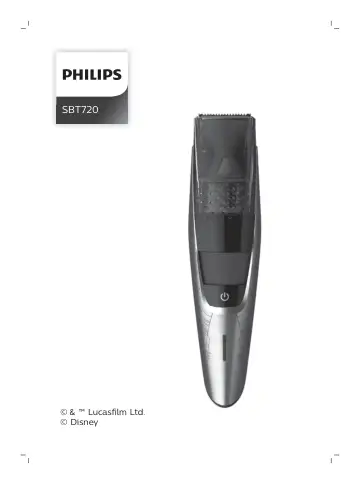
Philips SBT720 user manual
- Type
- User manual
- Language
- English
- Pages
- 36
- Category
- Speakers
- Models
- SBT720
Open PDFOpens the file on documents.philips.com.
Contents
- Introductionp. 6
Congratulations on your purchase and welcome to Philips! To fully benefit from the support that Philips offers, register your product at…
- General description (Fig. 1)p. 6
1 Cutting unit 2 Vacuum system 3 Length settings 4 Zoom wheel 5 On/off button 6 Battery status indicator 7 Pouch 8 Cleaning brush 9 Cleaning sponge 10 Small…
- Important safety informationp. 6
Read this important information carefully before you use the appliance and its accessories and save it for future reference. The accessories supplied may vary…
- The displayp. 8
Charging indications Battery low When the battery is almost empty, the bottom light of the battery status indicator flashes orange. Battery charging When the…
- Chargingp. 9
Charge the appliance before you use it for the first time and when the battery status indicator indicates that the battery is almost empty. Charging takes…
- Using the appliancep. 10
Always check the appliance and all accessories before use. Do not use the appliance or any accessory if it is damaged, as this may cause injury. Always replace…
- Cleaning and maintenancep. 14
Regular cleaning guarantees better shaving results. Never clean, remove or replace a shaving or cutting unit while the appliance is switched on. 14 English
- Ordering accessoriesp. 16
To buy accessories or spare parts, visit www.shop.philips.com/service or go to your Philips dealer. You can also contact the Philips Consumer Care Center in…
- Recyclingp. 16
Do not throw away the product with the normal household waste at the end of its life, but hand it in at an official collection point for recycling. By doing…
- Warranty and supportp. 17
If you need information or support, please visit www.philips.com/support or read the international warranty leaflet. Warranty restrictions Cutting units are…
- Troubleshootingp. 17
This chapter summarizes the most common problems you could encounter with the product. If you are unable to solve the problem with the information below, visit…
- 简介p. 20
- 基本说明'图 1)p. 20
- 重要安全信息p. 20
- 显示屏p. 22
- 充电p. 23
- 使用本产品p. 23
- 清洁和保养p. 27
- 订购配件p. 28
- 回收p. 29
- 保修和支持p. 30
- 故障处理方法p. 30