Loading manual…
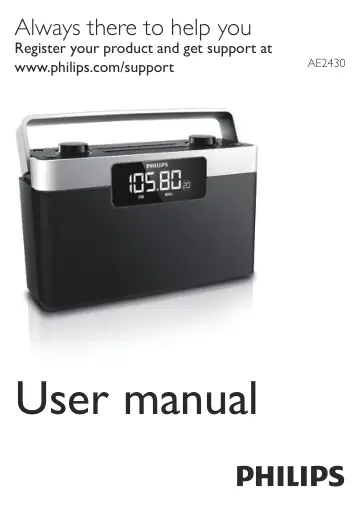
Philips Portable Radio AE2430/12 user manual
Open PDFOpens the file on objects.icecat.biz.
Contents
- 1 Importantp. 4
Safety Important Safety Instructions a Read these instructions. b Keep these instructions. c Heed all warnings. d Follow all instructions. e Do not use this…
- Safetyp. 4
Important Safety Instructions a Read these instructions. b Keep these instructions. c Heed all warnings. d Follow all instructions. e Do not use this apparatus…
- Noticep. 5
Hereby, Gibson Innovations declares that this product is in compliance with the essential requirements and other relevant provisions of Directive 2014/53/EU.…
- 2 Your Portable Radiop. 7
Congratulations on your purchase, and welcome to Philips! To fully benefit from the support that Philips offers, register your product at…
- Introductionp. 7
With this unit, you can: • know the time • listen to FM/MW radio stations
- What’s in the boxp. 7
Check and identify the contents of your package: • Main unit • Power cord • User manual
- Overview of the main unitp. 8
a Antenna • Improve radio reception. b • Jack for headphone. c VOLUME • Adjust volume. d • Turn on/off radio. e 1 - 10 • Select number for a preset radio…
- 3 Get startedp. 9
Always follow the instructions in this chapter in sequence. Note • The type plate is located on the bottom of the apparatus. If you contact the Consumer Care…
- Install batteryp. 10
Caution • Risk of explosion! Keep batteries away from heat, sunshine or fire. Never discard batteries in fire. • Risk of product damage! When the apparatus is…
- Connect powerp. 11
Caution • Risk of product damage! Ensure that the power supply voltage corresponds to the voltage printed on the back or the underside of the unit. • Risk of…
- Set timep. 12
Press to turn off the radio. 2 Press and hold PROG/AUTO SCAN. » » The hour digits begin to blink. 3 Rotate TUNING to set the hour. 4 Press PROG/AUTO SCAN to…
- Turn onp. 12
Press to turn on the radio
- 4 Listen to radiop. 12
Select FM/MW band 1 Press to turn on the radio. 2 Press BAND to switch between FM/MW band
- Select FM/MW bandp. 12
Press to turn on the radio. 2 Press BAND to switch between FM/MW band
- Tune to a radio stationp. 12
Press to turn on the radio. » » [FM] or [MW] is displayed. 2 Rotate TUNING clockwise or counter-clockwise to tune to a radio station.
- Program radio stations automaticallyp. 13
Note • You can program a maximum of 10 preset FM radio stations and 10 preset MW radio stations. 1 Press to turn on the radio. 2 Press and hold PROG/AUTO SCAN…
- Program radio stations manuallyp. 13
- Select a preset radio stationp. 14
Press to turn on the radio. 2 Press 1 - 10 to select a preset radio station.
- 5 Product informationp. 15
Note • Product information is subject to change without prior notice. Tuner Tuning range FM: 87.5 - 108 MHz MW: 531 - 1602 kHz Tuning grid 50 KHz (FM); 9 KHz…
- 6 Troubleshootingp. 16
Warning • Never remove the casing of this apparatus. To keep the warranty valid, never try to repair the system yourself. If you encounter problems when using…