Loading manual…
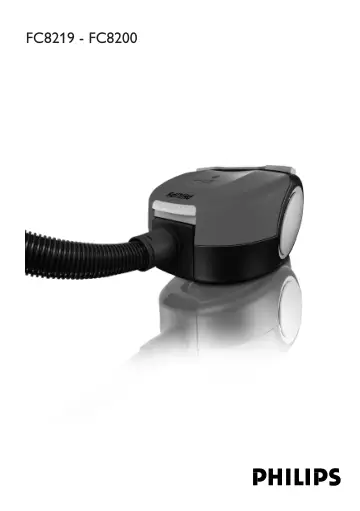
Philips FC8204 user manual
- Type
- User manual
- Languages
- English, German, Spanish
- Pages
- 76
- Category
- Vacuum cleaners
- Models
- FC8200FC8202FC8204FC8207FC8208FC8212FC8219
Open PDFOpens the file on ot-dam.versuni.com.
Contents
- General description (Fig. 1)p. 6
Cover 2 Paper dustbag 3 Motor Protection Filter 4 Dustbag holder 5 Hose connection opening 6 Hose connector 7 Dustbag-full indicator 8 Top handle 9 Cord rewind…
- Importantp. 6
Read this user manual carefully before you use the appliance and save it for future reference. Check if the voltage indicated on the appliance corresponds to…
- Electromagnetic fields (EMF)p. 7
This Philips appliance complies with all standards regarding electromagnetic fields (EMF). If handled properly and according to the instructions in this user…
- Before first usep. 7
You can remove the stickers from the plastic storage container (specific types only)
- Preparing for usep. 7
Hose 1 To connect the hose, push it into the appliance (1) and turn it clockwise (2) (Fig. 2). To disconnect the hose, turn it anticlockwise and pull it out of…
- Hosep. 7
To connect the hose, push it into the appliance (1) and turn it clockwise (2) (Fig. 2). To disconnect the hose, turn it anticlockwise and pull it out of the…
- Plastic tube (specific types only)p. 7
To connect the tube parts to each other, insert the narrow section into the wider section and turn a little. (Fig. 3) 2 To connect the tube to the handgrip of…
- Telescopic tube (specific types only)p. 7
Press the spring-loaded lock button on the telescopic tube part and slide the lock button into the opening in the other tube part. 2 Connect the telescopic…
- Combination nozzlep. 7
You can use the combination nozzle on carpet (with the brush strips folded in) or on hard floors (with the brush strips folded out). To clean hard floors, push…
- Crevice nozzle, small nozzle and brush nozzlep. 7
Your vacuum cleaner comes with one or more of these three accessories. 1 Connect the small nozzle, crevice nozzle or brush nozzle directly to the handgrip or…
- Using the appliancep. 8
Vacuum cleaning You can carry the vacuum cleaner by the handle at the front or on top of the appliance (Fig. 9). 1 Pull the cord out of the appliance and…
- Vacuum cleaningp. 8
You can carry the vacuum cleaner by the handle at the front or on top of the appliance (Fig. 9). 1 Pull the cord out of the appliance and insert the mains plug…
- Adjusting suction powerp. 8
You can adjust the suction power with: the suction power slide on the handgrip or (Fig. 11) the electronic suction power control on the vacuum cleaner…
- Replacementp. 8
Replacing the dustbag Always unplug the appliance before you replace the dustbag. Replace the dustbag as soon as the dustbag-full indicator on top of te…
- Replacing the dustbagp. 8
Always unplug the appliance before you replace the dustbag. Replace the dustbag as soon as the dustbag-full indicator on top of te appliance has changed colour…
- Replacing filtersp. 8
Always unplug the appliance before you replace a filter. Your vacuum cleaner is equipped with either a Micro Filter or a HEPA Filter. Micro Filter (specific…
- Cleaningp. 9
Always switch off and and unplug the appliance before you clean any parts. Do not clean any part of the vacuum cleaner in the dishwasher. If necessary, clean…
- Storage (Fig. 23)p. 9
Switch off the appliance and remove the mains plug from the wall socket. 2 Press the cord rewind button to rewind the cord. 3 You can store the appliance in…
- Accessoriesp. 9
in the box or plastic storage container supplied. 4 To store the appliance, look at the storage figure at the beginning of this user manual. This figure shows…
- Ordering dustbagsp. 9
Philips Classic s-bag` paper dustbags are available under type number FC8021. Philips Clinic s-bag` high filtration dustbags are available under type number…
- Ordering filtersp. 9
HEPA Filters are available under type number FC8029. Micro Filters are available under service number 4322 000 38900. Motor Protection Filters are available…
- Environmentp. 9
Do not throw away the appliance with the normal household waste at the end of its life, but hand it in at an official collection point for recycling. By doing…
- Guarantee & servicep. 10
If you need information or if you have a problem, please visit the Philips website at www.philips.com or contact the Philips Customer Care Centre in your…
- Troubleshootingp. 10
The suction power is insufficient Perhaps the dustbag is full. If necessary, replace the dustbag. Perhaps the filters need to be replaced. If necessary…