Loading manual…
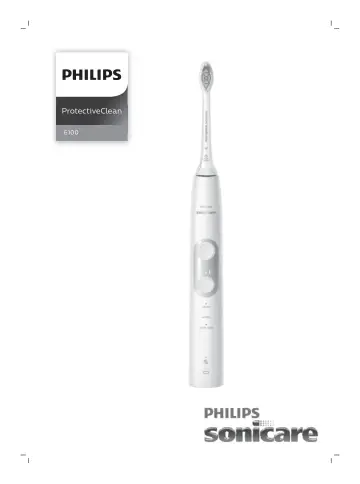
Philips HX6870 user manual
- Type
- User manual
- Languages
- English, German
- Pages
- 136
- Category
- Electric toothbrushes
- Models
- HX6870
Open PDFOpens the file on documents.philips.com.
Contents
- Importantp. 6
Read this user manual carefully before you use the appliance and save it for future reference. Danger - Keep the charger away from water. Do not place or store…
- Introductionp. 9
Congratulations on your purchase and welcome to Philips! To fully benefit from the support that Philips offers, register your product at…
- Your Philips Sonicare (Fig. 1)p. 10
Hygienic travel cap 2 Smart brush head(s)* 3 Handle 4 Power on/off button 5 Intensity light 6 Mode/intensity button 7 Mode light 8 Brush head replacement…
- Brush headsp. 10
Your Philips Sonicare comes with one or more brush heads which are designed to deliver superior results for your oral care needs
- Philips Sonicare BrushSync Technologyp. 10
Your brush head(s) are enabled with BrushSync technology. This technology enables 2 features with this toothbrush: 1 Brush head mode pairing (see 'Features and…
- Brushing modesp. 10
Your power toothbrush is equipped with 3 different modes to accommodate all your oral care needs. To change modes, press the mode/intensity button while the…
- Intensity settingsp. 11
Your power toothbrush gives you the option to choose between 3 different intensity levels: low, medium and high. (Fig. 3) Based on the brush head you attach…
- Using your Philips Sonicarep. 11
Brushing instructions 1 Press the brush head onto the handle in such a way that the bristles will face the front of the handle. (Fig. 4) 2 Firmly press the…
- Featuresp. 13
EasyStart - Brush head replacement reminder - Pressure sensor - Brush head mode pairing - Quadpacer Easy-start This Philips Sonicare model comes with the…
- Activating or deactivating featuresp. 14
'. Brush head mode pairing An RFID chip inside the brush head communicates with the toothbrush handle. When you attach a brush head, the handle automatically…
- Battery status and chargingp. 16
Put the plug of the charger in an electrical outlet. 2 Place the handle on the charger. - The charger will emit 2 short beeps to confirm that the handle is…
- Cleaningp. 17
Note: Do not clean the brush head, handle or travel case in the dishwasher. Toothbrush handle 1 Remove the brush head and rinse the metal shaft area with warm…
- Storagep. 17
If you are not going to use your Philips Sonicare for an extended period of time, unplug the charger from the wall socket, clean it and store it in a cool and…
- Locating the model numberp. 17
Look on the bottom of the Philips Sonicare toothbrush handle for the model number (HX684x/HX685x)
- Recyclingp. 17
This symbol means that this product shall not be disposed of with normal household waste (2012/19/EU) (Fig. 25). 17 English
- Warranty and supportp. 19
If you need information or support, please visit www.philips.com/support or read the international warranty leaflet
- Warranty restrictionsp. 19
The terms of the international warranty do not cover the following: - Brush heads. - Damage caused by use of unauthorized replacement parts. - Damage caused by…
- Wichtigp. 20
Lesen Sie diese Bedienungsanleitung vor dem Gebrauch des Geräts aufmerksam durch, und bewahren Sie sie für eine spätere Verwendung auf. Gefahr - Halten Sie das…
- Einführungp. 24
Herzlichen Glückwunsch zu Ihrem Kauf und willkommen bei Philips! Um die Unterstützung von Philips optimal nutzen zu können, sollten Sie Ihr Produkt unter…
- Ihre Philips Sonicare (Abb. 1)p. 24
Hygienische Schutzkappe 2 Intelligente Bürstenköpfe* 3 Griff 4 Ein-/Ausschalter 5 Lichtintensität 6 Modus‑/Intensitätstaste 7 Lichtmodus 8 Erinnerungsleuchte…
- Bürstenköpfep. 25
Ihre Philips Sonicare wird mit einer oder mehreren Bürstenköpfen geliefert, die entwickelt wurden, um bessere Ergebnisse für Ihre Mundpflegebedürfnisse zu…
- Philips Sonicare BrushSync-Technologiep. 25
Ihre Bürstenköpfe sind mit der BrushSync-Technologie ausgestattet. Diese Technologie aktiviert mit dieser Zahnbürste zwei Funktionen: 1…
- Putzmodip. 25
Ihre elektrische Zahnbürste ist mit drei unterschiedlichen Modi ausgestattet, um all Ihren Mundpflegebedürfnissen nachzukommen. Um den Modus zu ändern, drücken…
- Intensitätsstufenp. 26
Sie können je nach persönlicher Präferenz zwischen drei Intensitätsstufen wählen: niedrig, mittel und hoch. (Abb. 3) Je nachdem, welchen Bürstenkopf Sie…
- Die Philips Sonicare benutzenp. 26
Putzanleitung 1 Drücken Sie den Bürstenkopf so auf den Griff, dass die Borsten zur Vorderseite des Handstücks (Abb. 4) zeigen. 2 Drücken Sie den Bürstenkopf…
- Produktmerkmalep. 28
EasyStart - Bürstenkopfaustausch-Erinnerung - Drucksensor - Bürstenkopf-Kopplungsmodus - Quadpacer Easy-Start Dieses Philips Sonicare-Modell wird mit…
- Aktivieren oder Deaktivieren von Funktionenp. 29
“. Bürstenkopf-Kopplungsmodus Ein RFID‑Chip innerhalb des Bürstenkopfes kommuniziert mit dem Handstück der Zahnbürste. Sobald Sie einen Bürstenkopf anbringen…
- Akkustatus und Aufladenp. 31
Stecken Sie den Stecker des Ladegeräts in eine Steckdose. 2 Stellen Sie das Handstück auf das Ladegerät. - Das Ladegerät gibt 2 kurze Signaltöne aus, um zu…
- Pflegep. 32
Hinweis: Reinigen Sie den Bürstenkopf, das Handstück oder die Reisebox nicht in der Spülmaschine. Handstück der Zahnbürste 1 Nehmen Sie den Bürstenkopf ab, und…
- Aufbewahrungp. 33
Wenn Sie die Philips Sonicare über einen längeren Zeitraum nicht verwenden, ziehen Sie die Ladestation aus der Steckdose, reinigen Sie sie, und bewahren Sie…