Loading manual…
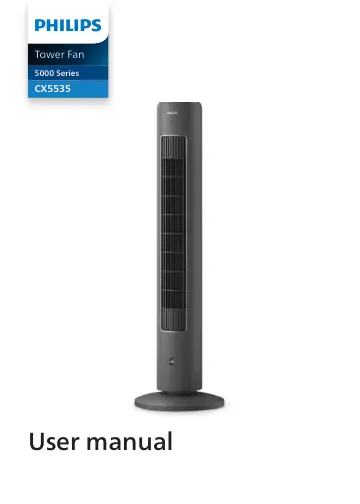
Philips 5000 Series (CX5535) user manual
- Type
- User manual
- Language
- English
- Pages
- 19
- Models
- CX5535
Open PDFOpens the file on dam.versuni.com.
Contents
- 1 Importantp. 3
Safety Read this user manual carefully before you use the appliance, and save it for future reference. Danger • Do not let any liquid or flammable detergent…
- Safetyp. 3
Read this user manual carefully before you use the appliance, and save it for future reference. Danger • Do not let any liquid or flammable detergent enter the…
- Electromagnetic fields (EMF)p. 5
This appliance complies with the applicable standards and regulations regarding exposure to electromagnetic fields.
- Recyclingp. 6
This symbol means that this product shall not be disposed of with normal household waste (2012/19/EU). This symbol means that this product contains disposable…
- 2 Your Tower Fanp. 7
Congratulations on your purchase, and welcome to Philips! To fully benefit from the support that Philips offers, register your product at…
- Product overviewp. 7
Fan base Control panel Air outlet Aroma box Remote control Power cord
- Controls overviewp. 8
Control buttons Fan speed button Mode switch button Timer button Rotation button Power on/off button Display panel Fan speed 1 Fan speed 2 Fan speed 3 Quiet…
- Remote control overviewp. 9
Rotation button Power on/off button Mode switch button Timer button Child lock button +/- Fan speed selection button
- 3 Getting startedp. 10
Installing the fan base Remove all packaging materials before first use. Note: Make sure the fan is unplugged from the electrical outlet before installing the…
- Installing the fan basep. 10
Remove all packaging materials before first use. Note: Make sure the fan is unplugged from the electrical outlet before installing the base. 1 2 1 2 1 2 2 1 3…
- Using the remote control for the first timep. 10
Caution: • Risk of product damage! When the remote control is not used for long periods, remove the battery. • Battery contains chemical substances, so they…
- Using the aroma functionp. 11
Notes: • The essential oils are not included with the product. Please purchase and use the essential oils if needed. • Read the user manual of essential oils…
- 4 Using the Tower Fanp. 12
Turning on and off 1 Put the plug in the power socket. 2 Touch the button on the appliance or the remote control to switch on the Tower Fan. The appliance…
- Turning on and offp. 12
Put the plug in the power socket. 2 Touch the button on the appliance or the remote control to switch on the Tower Fan. The appliance beeps. 3 Touch the button…
- Normal mode: Changing the fan speed manuallyp. 12
You can choose the fan speed 1 , fan speed 2 , or fan speed 3 by touching the button on the appliance or press the +/- button on the remote control manually.
- Switching the modep. 13
Touch the button switch between Natural wind mode ( ), Quiet Sleep mode ( ) and manual fan speed. 1 2 3 Natural Wind mode ( ): Adjusts fan speeds up and down…
- Using the timer function functionp. 13
- Rotationp. 14
Touch the button on the appliance, or press the button on the remote control to activate the rotation feature in your Tower fan. » The indicator lights up. A B
- Setting the child lockp. 15
Touch and hold the for 3 seconds on the appliance, or press the button on the remote control to activate the child lock. » The indicator lights up. » All the…
- Using the light on/off functionp. 15
You can touch and hold the and button for 3 seconds to turn on, or turn off the light of the display panel. 3S
- 5 Cleaning and maintenancep. 15
Note: • Always unplug the appliance before you clean it. • Never immerse the appliance in water or any other liquid. • Never use abrasive, aggressive, or…
- 6 Storagep. 16
Turn off the appliance and unplug from the power socket. 2 Clean the appliance. 3 Store the appliance in a cool, dry location. 4 Always thoroughly wash hands…
- 7 Troubleshootingp. 16
This chapter summarizes the most common problems you could encounter with the appliance. If you are unable to solve the problem with the information below…
- 8 Warranty and supportp. 17
Versuni offers a two-year warranty after purchase on this product. This warranty is not valid if a defect is due to incorrect use or poor maintenance. Our…