Loading manual…
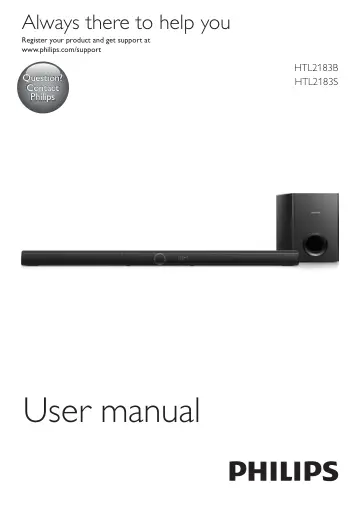
Philips Soundbar speaker HTL2183B/12 user manual
- Type
- User manual
- Language
- English
- Pages
- 20
- Category
- Soundbars
- Models
- HTL2183BHTL2183B/12HTL2183S
Open PDFOpens the file on objects.icecat.biz.
Contents
- 1 Importantp. 4
Read and understand all instructions before you use your product. If damage is caused by failure to follow instructions, the warranty does not apply
- Safetyp. 4
Risk of electric shock or fire! • Before you make or change any connections, make sure that all devices are disconnected from the power outlet. • Never expose…
- Care for your productp. 5
Use only microfiber cloth to clean the product
- Care of the environmentp. 5
Disposal of your old product and battery Your product is designed and manufactured with high quality materials and components, which can be recycled and…
- Compliancep. 5
This product complies with the radio interference requirements of the European Community. Hereby, Gibson Innovations declares that this product is in…
- Help and supportp. 6
For extensive online support, visit www.philips.com/support to: • download the user manual and the quick start guide • watch video tutorials (available only…
- 2 Your productp. 6
Congratulations on your purchase, and welcome to Philips! To fully benefit from the support that Philips offers(e.g. notification of product software upgrade)…
- Main unitp. 6
This section includes an overview of the main unit. a Switch this product on or to standby. b SOURCE Select an input source for this product. c Volume +/-…
- Remote controlp. 7
This section includes an overview of the remote control. a (Standby-On) Switch this product on or to standby. b Source buttons COAX: Switch your audio source…
- Connectorsp. 8
This section includes an overview of the connectors available on this product. a HDMI OUT (ARC) - TO TV Connect to the HDMI (ARC) input on the TV. b DC IN…
- 3 Connectp. 8
This section helps you connect this product to a TV and other devices. For information about the basic connections of this product and accessories, see the…
- Placementp. 8
Place the subwoofer at least 1 meter (3 feet) away from the main unit, and 10 centimeters (4 inches) away from the wall. For best results, place your subwoofer…
- Connect audio from TVp. 9
Connect this product to a TV. You can listen to audio from TV programs through the speakers of this product. Option 1: Connect to TV through HDMI (ARC) Best…
- Connect audio from other devicesp. 10
You may also play audio from other devices through the speakers of this product. Option 1: Connect to other device through optical cable Best quality audio 1…
- 4 Use your productp. 11
This section helps you use this product to play media from a wide range of sources. Before you start • Make the necessary connections described in the quick…
- Adjust the volumep. 11
Press Volume +/- to increase or decrease a volume level. • To mute sound, press . • To restore the sound, press again or press Volume +/
- Choose your soundp. 11
This section helps you choose the ideal sound for your video or music. Sound mode Select predefined sound modes to suit your video or music. • Press SURR…
- Play audio through Bluetoothp. 12
Through Bluetooth, connect this product with your Bluetooth device (such as an iPad, iPhone, iPod touch, Android phone, or laptop), and then you can listen to…
- MP3 playerp. 13
Connect your MP3 player to play your audio files or music. What you need • An MP3 player. • A 3.5mm stereo audio cable. 1 Using the 3.5mm stereo audio cable…
- USB storage devicesp. 13
Enjoy audio on a USB storage device, such as an MP3 player and USB flash memory, etc. What you need • A USB storage device that is formatted for FAT or NTFS…
- Auto standbyp. 13
When playing media from a connected device, this product automatically switches to standby after 15 minutes of button inactivity and no audio/video play from a…
- Set display brightnessp. 13
You can press DIM repeatedly to select a different brightness level of the display panel on this product. If you select AUTO OFF, LED message is switched off…
- Apply factory settingsp. 13
You can reset this product to the default settings programmed at the factory. 1 In any source mode, on the remote control press Volume -, BASS -, and TREBLE -…
- 5 Update softwarep. 14
To get the best features and support, update your product with the latest software
- Check software versionp. 14
In any source mode, on the remote control press TREBLE -, BASS -, and Volume -in sequence
- Update software via USBp. 14
Check the latest software version on www.philips.com/support. • Search for your model and click on "Software and drivers". 2 Download the software into a USB…
- 6 Wall mountp. 15
Note • Before wall mounting, make sure the wall can support the weight of this product. • For wall mounting, this product must be securely attached to the wall…
- 7 Product specificationsp. 15
Note • Specifications and design are subject to change without notice. Amplifier • Total output power: 150W RMS (+/- 0.5 dB, 10% THD) • Frequency response: 20…
- 8 Troubleshootingp. 16
Warning • Risk of electric shock. Never remove the casing of the product. To keep the warranty valid, never try to repair the product yourself. If you have…