Loading manual…
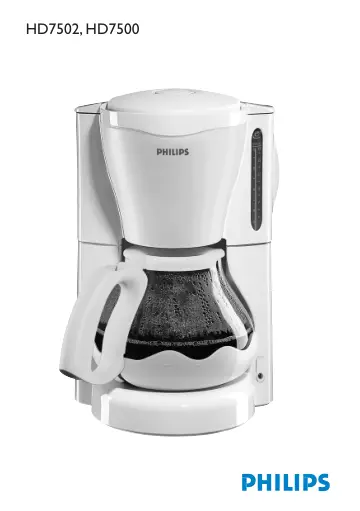
Philips HD7502 user manual
Open PDFOpens the file on ot-dam.versuni.com.
Contents
- Importantp. 6
Read this user manual carefully before you use the appliance and save it for future reference. Check if the voltage indicated on the appliance corresponds to…
- Electromagnetic fields (EMF)p. 6
This Philips appliance complies with all standards regarding electromagnetic fields (EMF). If handled properly and according to the instructions in this user…
- General description (Fig. 1)p. 6
A Mains cord B On/off switch C Coffeemaker D Lid of water tank E Water tank F Filter holder G Lid of jug H Jug I Buffer ring (HD7502 only)
- Preparing for usep. 6
Place the appliance on a flat and stable surface. 2 Let the appliance complete one brewing cycle without a filter and ground coffee (see chapter ‘
- Using the appliancep. 6
’). 3 Clean the detachable parts (see chapter ‘Cleaning’). You can store excess cord by pushing it into the opening in the back of the appliance (Fig. 2).…
- Brewing coffeep. 6
Fill the water tank with fresh, cold water (Fig. 3). The graduations on the left are for large cups (120ml) (Fig. 4). The graduations on the right are for…
- Brewing another jug of fresh coffee right awayp. 7
If you want to brew another jug of fresh coffee right away, switch off the appliance and let it cool down for three minutes. Fill the water tank again and put…
- Heating up coffee in the microwavep. 7
If you want to heat up coffee, you can place the jug in the microwave, even with the buffer ring (HD7502 only) attached. Features Drip stop The drip stop…
- Cleaningp. 7
it). Now you can make fresh coffee again. Heating up coffee in the microwave If you want to heat up coffee, you can place the jug in the microwave, even with…
- Descalingp. 8
Regular descaling prolongs the life of the appliance and guarantees optimal brewing results for a long time. In case of normal use (two full jugs of coffee…
- Accessoriesp. 8
You can order a glass jug from your local Philips dealer or a Philips service centre. Jug type HD7954/88 for coffeemaker type HD7502/88 or HD7500/88…
- Environmentp. 8
Do not throw away the appliance with the normal household waste at the end of its life, but hand it in at an official collection point for recycling. By doing…
- Guarantee & servicep. 8
If you need information or if you have a problem, please visit the Philips website at www.philips.com or contact the Philips Customer Care Centre in your…