Loading manual…
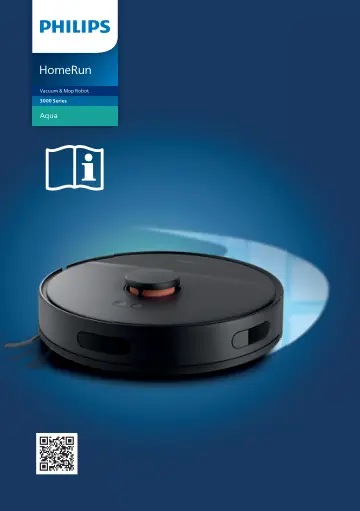
Philips HomeRun 3000 Series Aqua XU3000/01 Vacuum and Mop Robot user manual
Open PDFOpens the file on objects.icecat.biz.
Contents
- Englishp. 3
- Introductionp. 3
- Product overviewp. 4
- Before first usep. 5
Take the appliance out of the box and remove all packaging. 2 Remove the protection covers. 3 If you see any sign of visible damage, go to home.id or contact…
- Preparing for usep. 6
Tips for choosing the best location for installing the station: - Do not place the station in bright sunlight or under furniture. This will block the infrared…
- Audible signalsp. 10
hello - The voice alert language of the robot can be changed from English to your local language. To change the language, download the app and connect the…
- How your robot worksp. 10
Create a map How mapping works The robot drives through the rooms and the laser navigation quickly scans the rooms to build a map of the floor.
- Using your robotp. 14
Preparing for a cleaning run - Before you start the robot on its cleaning run:
- Cleaning and maintenancep. 16
When to do maintenance Item Cleaning Replacement
- Indicator light signals and their meaningp. 23
s Signal Description of signal Meaning of signal The lights in the two buttons on the robot flash slowly. The robot is charging. The lights in the two buttons…
- Reset/restore the robotp. 24
sec You can reset/restore the robot by pressing and holding the Home button on top of the robot for 15 seconds. Note: After resetting/restoring the robot, the…
- Child lockp. 24
sec 1 Activate child lock in the app or press the Home button on the robot for 3 seconds. 2 To deactivate child lock, deselect child lock in the app or press…
- Replacementp. 25
Ordering accessories To buy accessories or spare parts, visit www.philips.com/myrobot3000 or go to your Philips dealer. You can also contact the Philips…
- Warranty and supportp. 26
If you need information or support, please visit www.philips.com/support or read the international warranty leaflet. Your robot vacuum cleaner has been…
- Disposal and recyclingp. 27
Do not dispose the robot in the regular trash. Make sure to bring it to your the recycling facility for electrical equipment
- Troubleshootingp. 27
This chapter summarizes the most common problems you could encounter with the appliance. If you are unable to solve the problem with the information below, go…
- Bahasa Indonesiap. 33
- Isip. 33
Pendahuluan _____________________________________________________________________________ 33 Tinjauan umum produk…
- Pendahuluanp. 33
_____________________________________________________________________________ 33 Tinjauan umum produk…
- Tinjauan umum produkp. 34
- Sebelum menggunakan alat pertama kalip. 35
Keluarkan alat dari kotak dan lepaskan semua kemasan. 2 Lepaskan tutup pelindung. 3 Jika Anda melihat tanda-tanda kerusakan apa pun, kunjungi home.id atau…
- Menyiapkan penggunaanp. 36
Tips memilih lokasi terbaik untuk memasang stasiun: - Jangan letakkan stasiun di bawah sinar matahari yang terang atau di bawah furnitur. Hal ini akan…
- Tanda suarap. 40
hello - Bahasa peringatan suara robot dapat diubah dari bahasa Inggris ke bahasa lokal Anda. Untuk mengubah bahasa, unduh aplikasi dan hubungkan robot dengan…
- Cara kerja robot Andap. 40
Membuat peta Cara kerja pemetaan Robot menyusuri ruangan dan navigasi laser dengan cepat memindai ruangan untuk membuat peta lantai.
- Menggunakan robot Andap. 44
Menyiapkan untuk proses pembersihan - Sebelum Anda memulai robot untuk proses pembersihan:
- Pembersihan dan perawatanp. 47
Waktu pemeliharaan Item Membersihkan Penggantian Kain pel yang dapat dicuci Setiap kali selesai digunakan 3 - 6 bulan Sikat utama Bulanan 6 - 12 bulan Filter…
- Sinyal lampu indikator dan artinyap. 53
s Tanda Keterangan tanda Arti tanda Lampu di dua tombol pada robot berkedip perlahan. Robot sedang mengisi daya. Lampu di dua tombol pada robot terus menyala.…
- Mereset/memulihkan robotp. 54
sec Anda dapat mengatur ulang/memulihkan robot dengan menekan dan menahan tombol Home (Utama) di bagian atas robot selama 15 detik. Catatan: Setelah…
- Kunci anakp. 55
sec 1 Aktifkan kunci anak di aplikasi atau tekan tombol Home (Utama) pada robot selama 3 detik. 2 Untuk menonaktifkan kunci anak, batalkan pilihan kunci anak…
- Penggantianp. 55
Memesan aksesori Untuk membeli aksesori atau suku cadang, kunjungi www.philips.com/myrobot3000 atau kunjungi dealer Philips Anda. Anda juga dapat menghubungi…