Loading manual…
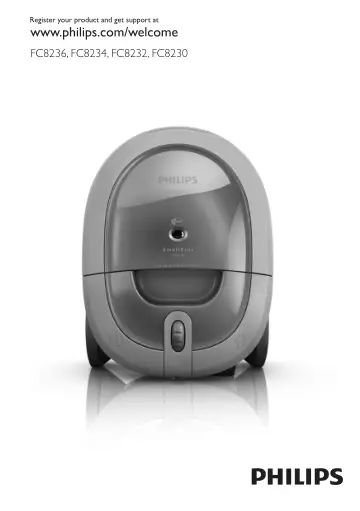
Philips FC8236 user manual
Open PDFOpens the file on dam.versuni.com.
Contents
- Introductionp. 6
Congratulations on your purchase and welcome to Philips! To fully benefit from the support that Philips offers, register your product at www.philips.com/welcome
- General description (Fig. 1)p. 6
A Vacuum cleaner 1 Cover release tab 2 Cover 3 Motor protection filter holder 4 Dustbag 5 Dustbag holder 6 Hose connection opening 7 Hose connector 8 Dustbag…
- Importantp. 6
Read this user manual carefully before you use the appliance and save it for future reference
- Dangerp. 6
Never suck up water or any other liquid. Never suck up flammable substances and do not suck up ashes until they are cold
- Warningp. 6
Check if the voltage indicated on the appliance corresponds to the local mains voltage before you connect the appliance. -- Do not use the appliance if the…
- Cautionp. 7
Do not suck up large objects as this may cause the air passage in the tube or
- Electromagnetic fields (EMF)p. 7
This Philips appliance complies with all standards regarding electromagnetic fields (EMF). If handled properly and according to the instructions in this user…
- Preparing for usep. 7
Hose 1 To connect the hose, push it into the appliance (1) and turn it clockwise (2) (Fig. 4). Note: To disconnect the hose, turn it anticlockwise and pull it…
- Hosep. 7
, the tube or any other accessory at the eyes or ears nor put it in your mouth when it is connected to the vacuum cleaner and the vacuum cleaner is switched…
- Telescopic tube with extension tubep. 7
To connect the extension tube to the bottom part of the telescopic tube, insert the narrow section into wider section and turn a little. Note: To disconnect…
- Nozzlesp. 7
Connecting a nozzle to the tube 1 To connect a nozzle to the tube, insert the tube into the nozzle and turn a little (Fig. 7). Note: To disconnect a nozzle…
- Using the appliancep. 8
- Vacuum cleaningp. 8
You can carry the vacuum cleaner by the handle at the front or on top of the appliance (Fig. 11). 1 Pull the mains cord out of the appliance and put the mains…
- Adjusting suction powerp. 8
You can adjust the suction power with the electronic suction power control on the vacuum cleaner (Fig. 14)
- Cleaningp. 8
- Cleaning the permanent motor protection filterp. 8
Clean the permanent motor protection filter every time you replace the dustbag. 1 Pull at the cover release tab (1) and open the cover (2) (Fig. 15). 2 Pull…
- Replacementp. 9
Dustbag Tip: We advise you to clean the motor protection filter every time you replace the dustbag (see chapter ‘Cleaning’). Always unplug the appliance before…
- Dustbagp. 9
in front of the ridge on the bottom of the appliance (1). Pull the cardboard front of the dustbag towards you (‘click’) (2). (Fig. 20) Note: If no dustbag has…
- Clean Air HEPA outlet filterp. 9
Your vacuum cleaner is equipped with a Clean Air HEPA outlet filter (service code 4222 459 48841). Replace the Clean Air HEPA outlet filter every 12 months. 1…
- Storagep. 10
Switch off the appliance and remove the mains plug from the wall socket. 2 Press the cord rewind button to rewind the mains cord. 3 Put the appliance in…
- Accessoriesp. 10
If you have any difficulties obtaining filters or other accessories for this appliance, please contact the Philips Consumer Care Centre in your country or…
- Environmentp. 10
Do not throw away the appliance with the normal household waste at the end of its life, but hand it in at an official collection point for recycling. By doing…
- Guarantee and servicep. 10
If you need service or information or if you have a problem, please visit the Philips website at www.philips.com or contact the Philips Consumer Care Centre in…
- Troubleshootingp. 10