Loading manual…
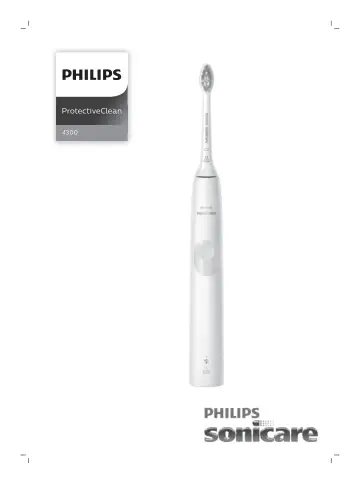
Philips HX6806 user manual
Open PDFOpens the file on documents.philips.com.
Contents
- Importantp. 6
Read this user manual carefully before you use the appliance and save it for future reference. Danger - Keep the charger away from water. Do not place or store…
- Introductionp. 9
Congratulations on your purchase and welcome to Philips! To fully benefit from the support that Philips offers, register your product at…
- Your Philips Sonicare (Fig. 1)p. 10
Hygienic travel cap 2 Smart brush head(s)* 3 Handle 4 Power on/off button 5 Brush head replacement reminder light 6 Battery indication 7 Charging base 8 Travel…
- Brush headsp. 10
Your Philips Sonicare comes with one or more brush heads which are designed to deliver superior results for your oral care needs
- Philips Sonicare BrushSync Technologyp. 10
Your smart brush heads use a microchip to sync with your handle, enabling brush head replacement reminder. For more information regarding the brush head…
- Brushing modesp. 10
Your power toothbrush is equipped with clean mode. Clean mode Clean is a 2-minute mode. It gives you a thorough and complete clean and is recommended to be…
- Intensitiesp. 10
Your power toothbrush gives you the option to choose between low and high intensity. Note: When you use the toothbrush for the first time, the default setting…
- Using your Philips Sonicarep. 11
Brushing instructions 1 Press the brush head onto the handle in such a way that the bristles will face the front of the handle. (Fig. 3) 2 Firmly press the…
- Featuresp. 12
EasyStart - Brush head replacement reminder - Pressure sensor - Quadpacer EasyStart This Philips Sonicare model comes with the EasyStart feature deactivated.…
- EasyStartp. 12
turned off. Features - EasyStart - Brush head replacement reminder - Pressure sensor - Quadpacer EasyStart This Philips Sonicare model comes with the EasyStart…
- Activating or deactivating featuresp. 13
'. Pressure sensor Your Philips Sonicare is equipped with an advanced sensor that measures the pressure you apply while brushing. If you apply too much…
- Battery status and chargingp. 15
Put the plug of the charger in an electrical outlet. 2 Place the handle on the charger. - The charger will emit 2 short beeps to confirm that the handle is…
- Cleaningp. 16
Note: Do not clean the brush head, handle or travel case in the dishwasher. Toothbrush handle 1 Remove the brush head and rinse the metal shaft area with warm…
- Storagep. 16
If you are not going to use your Philips Sonicare for an extended period of time, unplug the charger from the wall socket, clean it and store it in a cool and…
- Locating the model numberp. 16
Look on the bottom of the Philips Sonicare toothbrush handle for the model number (HX681x). 16 English
- Recyclingp. 17
This symbol means that this product shall not be disposed of with normal household waste (2012/19/EU) (Fig. 24). - This symbol means that this product contains…
- Warranty and supportp. 18
If you need information or support, please visit www.philips.com/support or read the international warranty leaflet
- Warranty restrictionsp. 18
The terms of the international warranty do not cover the following: - Brush heads. - Damage caused by use of unauthorized replacement parts. - Damage caused by…
- Vigtigtp. 19
Læs denne brugsvejledning omhyggeligt igennem, inden apparatet tages i brug, og gem den til eventuelt senere brug. Fare - Hold opladeren væk fra vand. Undlad…
- Introduktionp. 23
Tillykke med dit køb, og velkommen til Philips! For at få fuldt udbytte af den support, Philips tilbyder, skal du registrere dit produkt på…
- Philips Sonicare (Fig. 1)p. 23
Hygiejnisk beskyttelseshætte 2 Smart børstehoved(er)* 3 Håndtag 4 On/off-knap 5 Påmindelse om udskiftning af børstehovedet 6 Batteriindikator 7 Opladeenhed 8…
- Børstehovederp. 23
Philips Sonicare leveres med et eller flere børstehoveder, der giver fantastiske resultater og opfylder de forskellige behov for tandpleje
- Philips Sonicare BrushSync-teknologip. 23
Dine smarte børstehoveder bruger en mikrochip til at synkronisere sig med børstehåndtaget, så påmindelsen om udskiftning af børstehovedet aktiveres. Læs mere…
- Børsteindstillingerp. 23
Din eltandbørste er udstyret med Clean-indstilling. Clean-indstilling Clean er en 2-minutters indstilling. Den giver dig en grundig og fuldstændig børstning og…
- Styrkerp. 24
Eltandbørsten giver mulighed for at vælge mellem høj eller lav styrke. Bemærk: Når du anvender tandbørsten første gang, er standardindstillingen den lave…
- Brug af Philips Sonicarep. 24
Børstevejledning 1 Tryk børstehovedet på håndtaget, så børstehårene vender mod forsiden af håndtaget. (fig. 3) 2 Tryk børstehovedet fast ned på metalskaftet…
- Funktionerp. 25
EasyStart - Påmindelse om udskiftning af børstehovedet - Tryksensor - QuadPacer EasyStart Denne Philips Sonicare-model leveres med EasyStart-funktionen…
- EasyStartp. 25
slået fra. Funktioner - EasyStart - Påmindelse om udskiftning af børstehovedet - Tryksensor - QuadPacer EasyStart Denne Philips Sonicare-model leveres med…
- Sådan aktiveres eller deaktiveres funktionerp. 26
", hvis du vil deaktivere påmindelsen om udskiftning af børstehovedet. Tryk-sensor Philips Sonicare er udstyret med en avanceret sensor, der måler det tryk, du…
- Batteristatus og opladningp. 28
Sæt stikket til opladeren i en stikkontakt. 2 Sæt håndtaget i opladeren. - Opladeren udsender 2 korte bip for at bekræfte, håndtaget er placeret korrekt. - Det…