Loading manual…
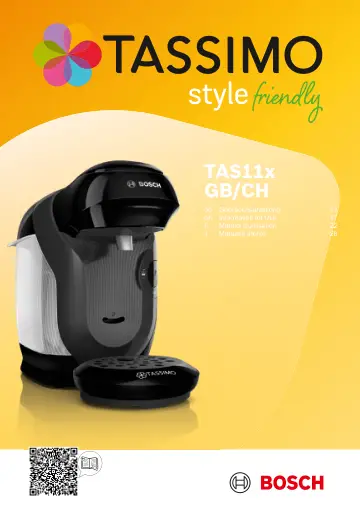
Bosch TAS112EGB user manual
- Type
- User manual
- Languages
- English, German, French, Italian
- Pages
- 36
- Category
- Kettles & toasters
- Models
- TAS112EGBTAS114EGBTAS117EGB
Open PDFOpens the file on media3.bsh-group.com.
Contents
- 1 Safetyp. 17
Safety • Read this instruction manual carefully. • Keep the instruction manual and the product information safe for future reference or for the next owner. •…
- 2 Overall viewp. 19
Overall view en To avoid injuries, only use the appliance for its intended purpose. Be careful of your fingers when inserting or cleaning the T DISC. People…
- 2.1 Control panelp. 19
- 3 Performing initial start-upp. 19
- 4 Operationp. 19
- 4.1 To prepare a drinkp. 19
- 5 Cleaning and servicingp. 19
- 5.1 Cleaning the appliance and partsp. 20
en Troubleshooting Cleaning the appliance and parts Clean the individual parts as indicated in the table. Fig. 28 Cleaning the appliance Follow the pictorial…
- 5.2 Cleaning the appliancep. 20
- 5.3 Descale the appliancep. 20
- 6 Troubleshootingp. 20
- 6.1 The appliance is not workingp. 20
- 6.2 Brewing process starts, drink is not dispensedp. 20
- 6.3 Brewing process does not startp. 20
- 6.4 Brewing unit cannot be closedp. 20
- 6.5 Brewing unit cannot be openedp. 20
- 6.6 Water is dripping from the brewing unitp. 20
- 6.7 There is water under the cup standp. 20
- 6.8 No LED is litp. 20
- 6.9 All LEDs flashingp. 21
Technical specifications en All LEDs flashing. There are problems with the power supply. 1. Pull out the mains plug, wait 5 minutes and plug it back in. 2. If…
- 6.10 LED Fill water tank.Fill water tank. lights up even though there is enough water in the water tankp. 21
- 6.11 LED lights up although softened water has been usedp. 21
- 6.12 Descale appliance.Descale appliance. LED and Fill water tank.Fill water tank. LED are simultaneously lit and the brp. 21
- 6.13 Quality of beverages has deteriorated, e.g. crema or volumep. 21
- 6.14 Drink volume has reducedp. 21
- 7 Technical specificationsp. 21
- 8 Disposing of old appliancep. 21
- 9 Customer Servicep. 21