Loading manual…
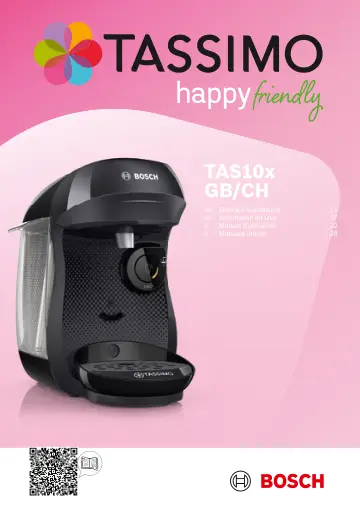
Bosch TAS102EGB user manual
- Type
- User manual
- Languages
- English, German, French, Italian
- Pages
- 36
- Category
- Kettles & toasters
- Models
- TAS102EGBTAS107EGBTAS109EGB
Open PDFOpens the file on media3.bsh-group.com.
Contents
- 1 Safetyp. 17
Safety • Read this instruction manual carefully. • Keep the instruction manual and the product information safe for future reference or for the next owner. •…
- 2 Overall viewp. 19
Overall view en To avoid injuries, only use the appliance for its intended purpose. Be careful of your fingers when inserting or cleaning the T DISC. People…
- 2.1 Control panelp. 19
- 3 Performing initial start-upp. 19
- 4 Preparing a drinkp. 19
- 5 Dishwasher-safe componentsp. 19
- 6 Cleaning the appliancep. 19
- 7 Descale the appliancep. 20
en Descale the appliance Descale the applianceDescale the appliance If lights up, run the descaling programme. Follow the illustrated instructions at the…
- 8 Troubleshootingp. 20
Troubleshooting Repairs to the appliance should only be carried out by trained specialist staff. Only use genuine spare parts when repairing the appliance. If…
- 8.1 The appliance is not workingp. 20
- 8.2 Brewing process starts, drink is not dispensedp. 20
- 8.3 Brewing process does not startp. 20
- 8.4 Brewing process does not start, status display lights up redp. 20
- 8.5 Brewing unit cannot be closedp. 20
- 8.6 Brewing unit cannot be openedp. 20
- 8.7 Water is dripping from the brewing unitp. 20
- 8.8 There is water under the cup standp. 20
- 8.9 No LED is litp. 21
Technical specifications en No LED is lit. Appliance is in idle mode. Press or open or close the brewing system. All LEDs flashing. There are problems with the…
- 8.10 All LEDs flashingp. 21
- 8.11 LED lights up red even though there is enough water in the water tankp. 21
- 8.12 Descale appliance.Descale appliance. LED lights up although softened water has been usedp. 21
- 8.13 Fill water tank.Fill water tank. LED and Descale appliance.Descale appliance. LED flash, brewing is not possiblep. 21
- 8.14 Quality of beverages has deteriorated, e.g. crema or volumep. 21
- 8.15 Drink volume has reducedp. 21
- 9 Technical specificationsp. 21
- 10 Disposing of old appliancep. 21
- 11 Customer Servicep. 21